If you’re a teacher, you know the feeling. The bell rings at 2:00 PM, but your work is just beginning. There are lesson plans to differentiate, quizzes to grade, emails to answer, and feedback to write.
For years, the advice has been to “work smarter, not harder.” But with the sheer volume of administrative tasks, that often felt impossible—until now.
Artificial Intelligence (AI) has moved from the realm of sci-fi into the practical reality of the classroom. It isn’t here to replace teachers; it’s here to handle the busy work so you can focus on the human work—connecting with and inspiring your students.
Here are the best AI tools to help you streamline your workflow and reclaim your planning periods.
ALSO READ: How to Create a Professional CV With AI
1. Google Gemini for Lesson Planning and Teaching Ideas
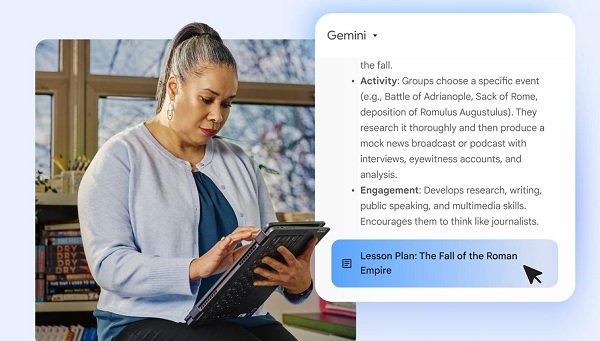
Google Gemini for Education can help teachers brainstorm lesson ideas, prepare lesson outlines, simplify difficult concepts and develop classroom activities.
Teachers can use it to create teaching materials suited to different age groups and learning abilities. Google also provides ready-to-use prompts specifically designed to help educators with lesson planning and personalized instruction.
What teachers can use it for:
-
Preparing lesson plan drafts
-
Creating discussion questions
-
Explaining difficult topics in simpler language
-
Developing classroom activities
-
Generating revision questions
-
Adapting materials for different learning levels
Example prompt:
“Prepare a 40-minute lesson plan on photosynthesis for JSS2 Basic Science students in Nigeria. Include three learning objectives, instructional materials, previous knowledge, teacher activities, student activities, evaluation questions and an assignment.”
Website: Google Gemini
2. ChatGPT for Lesson Notes, Questions and Explanations
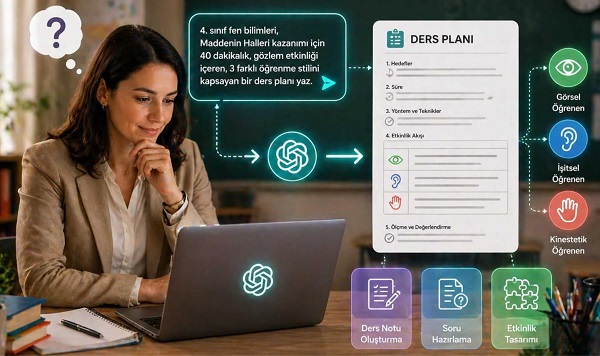
ChatGPT is a flexible AI assistant that teachers can use to draft lesson notes, generate examination questions, explain difficult concepts and prepare teaching resources.
For teachers in Nigerian schools, it can help prepare materials for subjects such as Mathematics, English Language, Basic Science, Civic Education, Computer Studies and Social Studies.
What teachers can use it for:
-
Writing lesson notes
-
Creating multiple-choice and theory questions
-
Preparing marking guides
-
Developing classroom exercises
-
Simplifying complex topics
-
Drafting report comments and parent communications
Example prompt:
“Create 15 multiple-choice questions and five theory questions on computer hardware for JSS1 students. Use clear language, provide four options for each objective question, and put the answer key in a separate section.”
Website: ChatGPT
Always review generated questions and answers before using them in an examination. AI tools can make factual errors or produce questions that do not match the required curriculum.
3. Khanmigo for Classroom Activities and Assessment
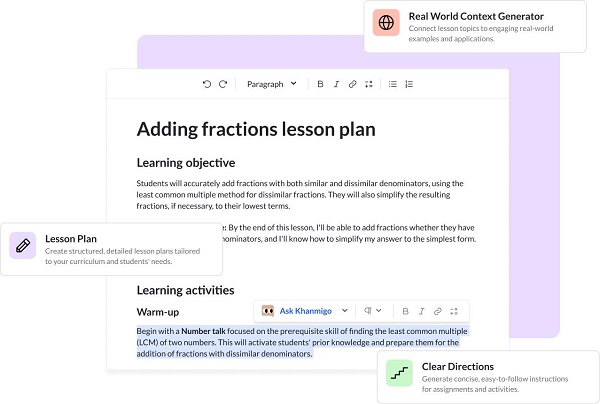
Khanmigo is an AI-powered teaching assistant from Khan Academy. Its teacher-focused tools support lesson planning, assessment creation, rubrics, classroom activities and differentiated instruction.
Teachers can use it to prepare activities that encourage students to understand concepts rather than simply memorize answers.
What teachers can use it for:
-
Creating lesson plans
-
Generating assessment questions
-
Preparing marking rubrics
-
Developing exit tickets
-
Suggesting activities for different ability levels
-
Drafting progress reports
For example, a Mathematics teacher could use it to draft practice exercises on fractions, with questions arranged from basic to more challenging.
Website: Khanmigo for Teachers
Check the current eligibility and language requirements before registering, as availability can vary by location and service.
4. Canva for Education for Teaching Presentations
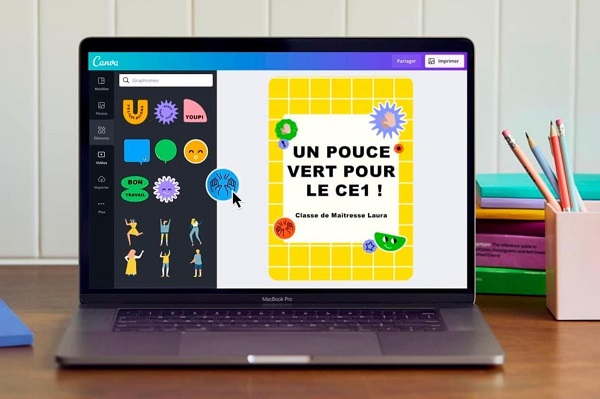
Canva helps teachers create visual teaching materials, including presentations, posters, infographics, worksheets and classroom announcements. Its AI-assisted design and writing features can speed up the preparation of these materials.
What teachers can use it for:
-
Creating lesson presentation slides
-
Designing educational posters
-
Preparing visual revision guides
-
Making classroom rules charts
-
Creating worksheets and infographics
-
Designing school event announcements
For example, a Basic Technology teacher can create a labelled diagram poster explaining the parts of a computer, then use the poster during classroom instruction.
Website: Canva for Education
Review AI-generated labels, diagrams and factual details before presenting them to students.
5. MagicSchool AI for Teacher Workflows
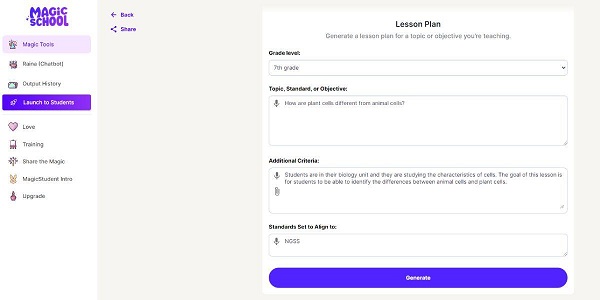
MagicSchool AI is designed for education-related tasks. Depending on the available tools and account features, teachers can use it to develop lesson plans, create assessments, adapt learning materials and draft classroom communications.
What teachers can use it for:
-
Preparing lesson outlines
-
Creating quizzes and worksheets
-
Developing rubrics
-
Adapting content for different reading levels
-
Brainstorming classroom activities
-
Drafting feedback for students
A teacher who needs to prepare lessons for several classes can use an AI-generated first draft as a starting point, then adjust it to match the school curriculum and the needs of each class.
Website: MagicSchool AI
6. Diffit for Differentiated Learning Materials
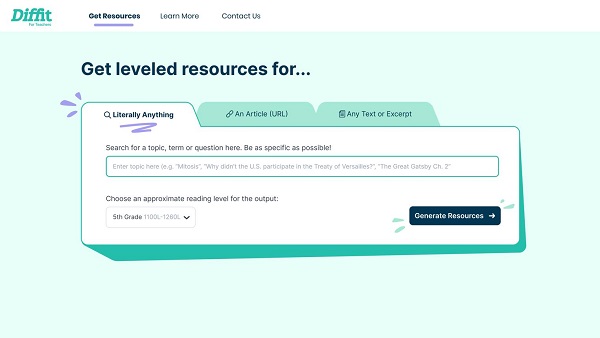
Diffit focuses on helping educators adapt learning materials for different reading levels and learning needs.
A teacher may have a reading passage that is too difficult for some students. A tool such as Diffit can help produce adapted reading materials and related questions, subject to the features available on the account.
What teachers can use it for:
-
Adapting reading passages
-
Creating comprehension questions
-
Preparing vocabulary exercises
-
Developing differentiated worksheets
-
Supporting students with different reading abilities
-
Generating discussion activities
For example, a teacher can adapt a passage about climate change for students who need simpler language while retaining the key learning concepts.
Website: Diffit
Teachers should check that simplified content remains accurate and appropriate for the age group.
7. Quizizz AI for Quizzes and Revision Activities
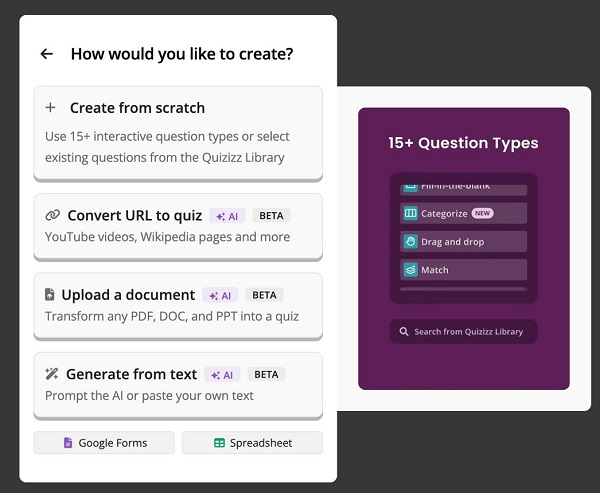
Wayground (formerly Quizizz) offers digital assessment and learning activities that teachers can use to make revision more interactive. Its AI-assisted features can help with preparing questions and adapting learning resources, depending on the tools available.
What teachers can use it for:
-
Creating interactive quizzes
-
Preparing revision exercises
📖 Related Reads
-
Checking students’ understanding
-
Conducting classroom assessments
-
Reviewing performance on assigned activities
For example, after teaching a lesson on internet safety, a teacher can prepare a short quiz to test students’ understanding of passwords, phishing and safe browsing.
Website: Wayground
8. Brisk Teaching for Preparing Classroom Resources
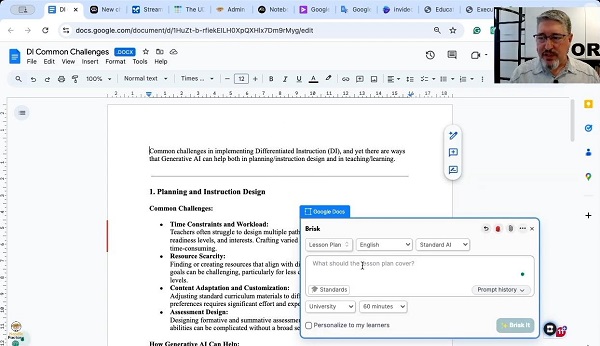
Brisk Teaching provides AI-powered tools designed to support teachers’ workflows. Depending on the available features, educators can use it to help develop learning materials, adapt content and prepare feedback.
What teachers can use it for:
-
Adapting online reading materials
-
Creating classroom resources
-
Drafting feedback on student work
-
Developing questions from educational content
-
Preparing different versions of learning materials
For instance, a teacher working with an online article could use an appropriate Brisk tool to develop comprehension questions and a classroom activity based on the article.
Website: Brisk Teaching
Always check the output and follow your school’s policies when working with student assignments.
9. Curipod for Interactive Lessons
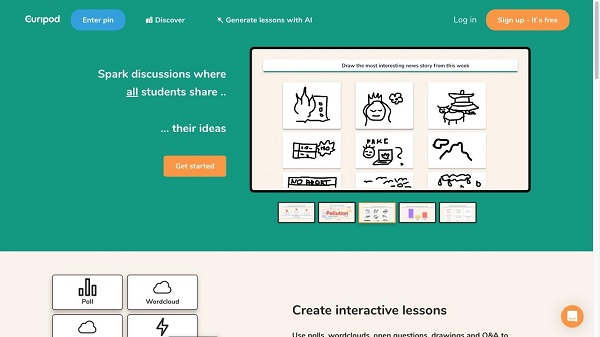
Curipod helps educators create interactive lesson presentations. Its activities can include student responses, polls, open-ended questions and other participation-focused exercises.
What teachers can use it for:
-
Preparing interactive lesson slides
-
Starting classroom discussions
-
Gathering student opinions
-
Checking understanding during lessons
-
Encouraging participation
-
Developing activities around a topic
For example, a Civic Education teacher introducing environmental responsibility could begin with a question asking students to identify environmental problems in their community, then use their responses to guide the discussion.
Website: Curipod
10. Eduaide.AI for Lesson Resources
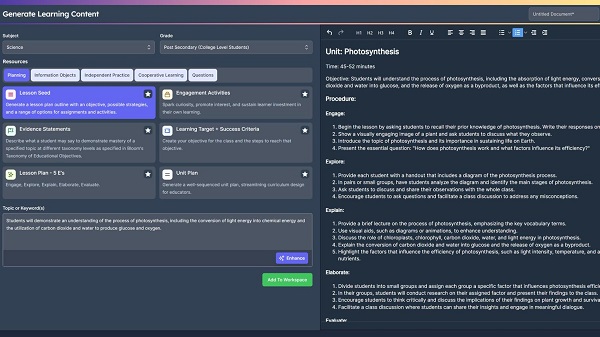
Eduaide.AI is an education-focused AI platform intended to assist teachers with creating instructional materials and planning classroom activities.
Depending on its current features and account plan, it can help teachers draft resources such as lesson outlines, classroom exercises and learning activities.
What teachers can use it for:
-
Brainstorming lesson ideas
-
Preparing instructional resources
-
Developing classroom exercises
-
Creating differentiated activities
-
Drafting student feedback
-
Organising teaching materials
Website: Eduaide.AI
Before adopting any platform, check its current pricing, usage limits, privacy terms and availability in your country.
Which AI Tool Is Best for Teachers?
The best choice depends on the task you want to complete. Here is a quick comparison.
|
Teaching task |
Tool to consider |
|---|---|
|
General lesson notes and questions |
ChatGPT |
|
Lesson planning and teaching ideas |
Google Gemini |
|
Assessment and classroom activities |
Khanmigo |
|
Presentations and educational posters |
Canva |
|
Differentiated reading materials |
Diffit |
|
Interactive quizzes |
Wayground |
|
Classroom resource adaptation |
Brisk Teaching |
|
Interactive presentations |
Curipod |
|
Education-focused resource generation |
MagicSchool AI or Eduaide.AI |
These are suggested use cases, not a guarantee that every feature is free or available in every country.
How Teachers Can Use AI Effectively
AI tools can save preparation time, but the quality of the results depends on how teachers use them.
1. Give Clear Instructions
Instead of asking an AI tool to “prepare a lesson,” specify the subject, class level, topic, duration and expected format.
For example:
“Prepare a 40-minute JSS3 Computer Studies lesson on computer networks. Include three measurable learning objectives, instructional materials, lesson introduction, teacher and student activities, evaluation questions and homework.”
Specific instructions generally make it easier to obtain useful, relevant material.
2. Follow the Required Curriculum
Teachers in Nigeria should check AI-generated lessons against the applicable Nigerian curriculum, state requirements, examination syllabus and school scheme of work.
Do not assume that every generated lesson follows the correct curriculum simply because it looks professional.
3. Check Facts and Answers
AI can produce incorrect facts, calculations, references and answer keys.
Review every lesson note, quiz, marking guide and explanation before using it in class. This is especially important for Mathematics, Science, examination preparation and other subjects where a small error can confuse students.
Google also advises educators to check and refine AI-generated material before assigning it to students.
4. Protect Students’ Personal Information
Do not upload identifiable student records, examination results, confidential reports or sensitive family information to an AI service unless your school has approved the use and the relevant privacy and data-protection requirements are satisfied.
Use anonymised examples whenever possible, and check the platform’s privacy terms before uploading documents.
5. Keep Teachers in Control
AI should support a teacher’s professional judgement, not replace it.
Teachers understand their students’ abilities, classroom environment, learning challenges and school expectations. Use AI to generate drafts and ideas, then apply your experience to improve the final materials.

Are AI Tools for Teachers Free?
Some AI tools offer free access, while others have paid subscriptions, usage limits or features that require an eligible school account.
For example, Khan Academy advertises free access to its teacher-focused Khanmigo tools, subject to its eligibility requirements.
Other services may restrict certain features to paid plans or education accounts. Before building your teaching workflow around a particular tool, confirm its current pricing, account requirements and regional availability.
Teachers with limited internet access can also prepare materials in advance, save approved resources locally and use them offline where the application supports it.
Final Thoughts
AI tools for teachers can make lesson preparation, assessment creation and classroom resource development more efficient. Tools such as ChatGPT, Gemini, Khanmigo, Canva, Diffit and Wayground offer different ways to support teaching and learning.
You do not need to adopt all ten tools at once. Start with one that addresses your biggest challenge, such as writing lesson notes, preparing quizzes or creating presentations.
Test its output, check the facts and adapt the material to your students and curriculum. Used responsibly, AI can help teachers spend less time on repetitive preparation and more time supporting students.