Creating a professional CV can be challenging, especially if you are unsure how to organise your education, work experience, skills and achievements. Fortunately, artificial intelligence (AI) tools can make the process much easier.
With the right prompts, AI can help you write, structure, improve and tailor your CV for different job opportunities. It can also help identify weak descriptions, improve grammar and turn ordinary job responsibilities into clearer achievement-focused statements.
However, AI should be used as an assistant rather than allowing it to invent qualifications or experience that you do not have.
In this guide, we explain how to create a professional CV with AI, including what information to provide, useful prompts and mistakes to avoid.
What Is an AI-Generated CV?
An AI-generated CV is a résumé created or improved with the assistance of an artificial intelligence tool.
Instead of starting with a blank document, you provide the AI with information about your:
- Education
- Work experience
- Skills
- Certifications
- Professional achievements
- Projects
- Career objectives
- Contact information
The AI can then organise the information into a professional CV structure.
Some AI tools can also suggest better wording and tailor your CV to a particular job description.
Why Use AI to Create a CV?
AI can be useful when creating a CV for several reasons.
Saves Time
Writing a CV from scratch can take several hours. AI can provide an initial structure within minutes.
Improves Writing
AI can help correct spelling, grammar and awkward sentences while making your descriptions more professional.
Helps With CV Structure
A good CV should be easy to read. AI can help organise your information under appropriate headings.
Tailors Your CV to a Job
You can provide a job description and ask AI to identify relevant skills and experience that should be emphasised in your CV.
Helps Highlight Achievements
AI can help transform basic job descriptions into stronger achievement-oriented statements—provided you supply the actual facts.
How to Create a Professional CV With AI
Step 1: Gather Your Information
Before opening an AI tool, collect the information you want to include in your CV.
Prepare details such as:
Personal and Contact Information
- Full name
- Phone number
- Professional email address
- City and country
- LinkedIn profile, if applicable
- Professional portfolio or website, if applicable
Avoid adding unnecessary personal information such as your bank details, passwords or other sensitive information.
Education
Include:
- Institution
- Qualification
- Field of study
- Graduation year or dates
Work Experience
For each position, provide:
- Job title
- Company or organisation
- Location
- Employment dates
- Main responsibilities
- Achievements
Skills
List skills that are genuinely relevant to your target career.
Certifications and Training
Include relevant professional certifications, courses and training.
Projects
Projects can be particularly useful for students, graduates and people changing careers.
Step 2: Choose an AI Tool
You can use an AI chatbot or a dedicated AI CV/resume builder.
General-purpose AI tools can help you write and improve the content, while dedicated CV platforms may provide templates and formatting options.
The important thing is not simply which AI tool you choose. The quality of the information and instructions you provide also matters.
Step 3: Tell the AI About Your Career Background
Don’t simply type:
“Create a CV for me.”
Give the AI enough information to understand your background.
For example:
“I am an IT support professional with five years of experience in desktop support, network troubleshooting and server administration. I have a postgraduate diploma in Information Technology. Help me create a professional CV targeted at an IT Support Engineer position.”
Then provide your actual education, employment history, skills and achievements.
Step 4: Ask AI to Create the First Draft
Once you have provided your information, ask the AI to organise it into a CV.
A useful prompt is:
“Create a professional CV using the information I have provided. Use a clean, modern structure suitable for corporate job applications. Prioritise relevant work experience, skills and measurable achievements. Do not invent or exaggerate any information.”
The AI should produce a draft that you can review and edit.
Step 5: Improve Your Professional Summary
The professional summary is one of the first sections recruiters may read.
Instead of writing a generic statement such as:
“I am hardworking and dedicated.”
Ask AI to create a concise professional summary based on your actual experience.
For example:
“Write a concise professional summary for my CV based only on my education, experience and skills. Target the summary toward an IT Support Engineer position and avoid generic phrases.”
A good summary should quickly communicate who you are, what you do and the value you can bring to an employer.
Step 6: Improve Your Work Experience
This is one of the areas where AI can be particularly helpful.
Many people write their work experience as a list of basic duties:
- Answered customer calls
- Installed software
- Fixed computers
- Assisted users
These statements describe responsibilities but don’t necessarily demonstrate impact.
You can ask AI to improve them:
“Rewrite these responsibilities as concise, achievement-focused CV bullet points. Use strong action verbs and quantify results where the information I provided supports it. Do not invent statistics.”
For example, instead of:
📖 Related Reads
“Provided technical support to employees.”
A stronger factual version might be:
“Provided technical support to employees, troubleshooting hardware, software and connectivity issues to minimise disruptions to daily operations.”
The important rule is never allow AI to manufacture achievements.
If you did not save a company 30% of its costs, don’t allow AI to claim that you did.
Step 7: Tailor Your CV to a Specific Job
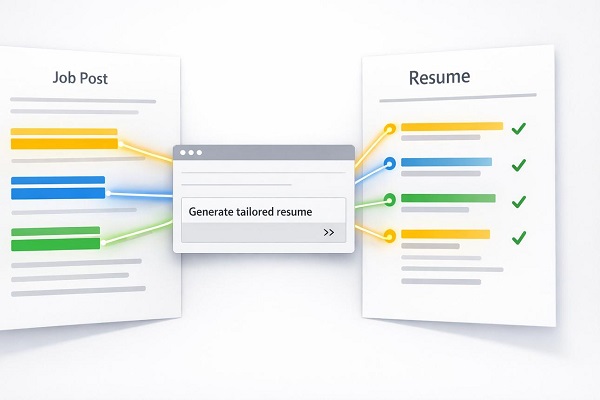
One of the most useful applications of AI is tailoring a CV to a job description.
Copy the job description into the AI tool and provide your existing CV.
Then ask:
“Compare my CV with this job description. Identify the skills, qualifications and experience that are relevant to the position. Suggest improvements to my CV using only information already present in my CV. Do not add qualifications or experience that I don’t have.”
AI can help identify keywords and areas where your existing experience could be presented more effectively.
Step 8: Optimise Your CV for Applicant Tracking Systems
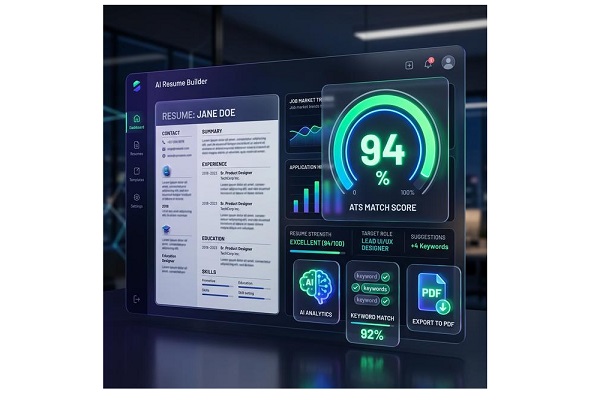
Many organisations use Applicant Tracking Systems (ATS) to help manage job applications.
An ATS may scan CVs for relevant qualifications, skills and keywords before recruiters review applications.
Ask AI:
“Review my CV for ATS compatibility. Identify unnecessary formatting, unclear headings and missing relevant keywords from the job description. Suggest improvements without adding false information.”
Use standard headings such as:
- Professional Summary
- Work Experience
- Education
- Skills
- Certifications
- Projects
Avoid unnecessarily complicated designs that may make the text difficult for automated systems to read.
Step 9: Ask AI to Check Your CV
Before submitting your CV, ask AI to act as a recruiter.
For example:
“Review this CV as a recruiter hiring for the position described below. Identify the strongest parts, weaknesses, unclear statements, grammatical errors and areas that should be improved. Give specific recommendations.”
You can also ask:
“What would make a recruiter reject this CV?”
This can reveal problems you may have overlooked.
Step 10: Format the Final CV
After the content has been reviewed, place it into a professional CV template using a word processor or CV design tool.
Keep the design:
- Clean
- Consistent
- Easy to scan
- Professional
- Appropriate for your industry
Use readable fonts and clear headings.
For most traditional corporate applications, a simple professional layout is usually safer than an overly decorative design.
A Useful AI Prompt for Creating a CV
If you want AI to help create your CV from scratch, you can use this prompt:
“Act as a professional CV writer and career adviser. Create a professional CV using only the information I provide. Organise it into a clear structure with a professional summary, work experience, education, skills, certifications and relevant projects. Use concise, achievement-focused bullet points and strong action verbs. Tailor the CV to the job description I provide. Do not invent qualifications, job titles, employers, dates, achievements, skills or statistics. Make the CV ATS-friendly and easy for a recruiter to scan.”
After the prompt, provide your actual information.
Mistakes to Avoid When Using AI for Your CV
1. Don’t Let AI Invent Experience
This is one of the biggest risks.
AI may generate impressive-sounding achievements that you never actually accomplished.
Always verify every statement.
2. Don’t Copy the First Draft Blindly
AI-generated CVs can sound generic. Read every section and make sure the language represents you accurately.
3. Don’t Use Too Many Buzzwords
Words such as “dynamic,” “passionate,” “innovative” and “results-driven” can become meaningless when overused.
Specific evidence is generally more useful.
4. Don’t Include False Keywords
Adding skills simply because they appear in a job description can be misleading if you don’t actually possess those skills.
5. Don’t Make the CV Too Long
The ideal length depends on your experience, industry and country. The objective should be to communicate relevant information efficiently rather than filling pages unnecessarily.
6. Protect Your Personal Information
Think carefully about what information you upload to an AI service. Avoid providing unnecessary sensitive information, especially passwords, financial information or identity-document details.
Can AI Create a CV Without Experience?
Yes.
Students, graduates and people applying for their first jobs can use AI to organise their education, projects, internships, volunteering, certifications, transferable skills and other relevant experience.
For example, you can ask:
“Create an entry-level CV using my education, academic projects, certifications, volunteer experience and skills. Do not invent professional work experience.”
This can help you present genuine experience more effectively.
Can AI Create a CV for Nigerian Jobs?
Yes. AI can help prepare a CV for job applications in Nigeria or international positions.
However, you should tailor the CV to the specific employer, industry and job description. Check the employer’s requirements carefully and use accurate Nigerian educational and employment information.
For international applications, you may also need to adjust the format depending on the country and employer.
Final Thoughts
Knowing how to create a professional CV with AI can make the job application process faster and easier.
AI can help you organise your information, improve your wording, highlight relevant skills, tailor your CV to job descriptions and identify weaknesses before you submit an application.
However, the best AI-generated CV is still based on real information about you. Don’t allow an AI tool to invent qualifications, employment history, achievements or skills simply to make your CV look more impressive.
Use AI as a writing and editing assistant, carefully review the final document and make sure every statement is accurate before sending it to an employer.