We’ve all been there. That sinking feeling when your phone goes missing, and you suddenly realize your entire digital life—important documents, cherished photos, work files, and personal notes—might be gone forever.
But what if I told you there’s a clever workaround hiding right inside your messaging app? No expensive cloud subscriptions required.
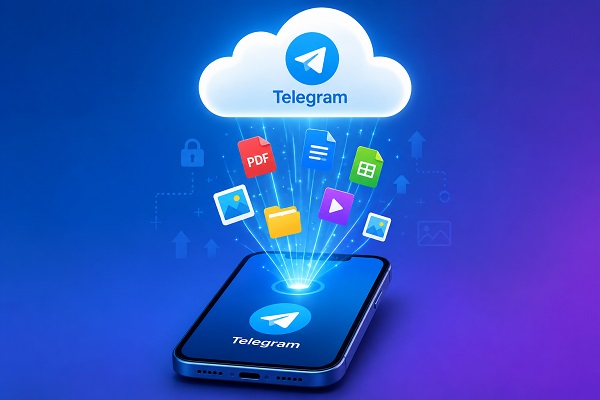
Your Messaging App as a Personal Cloud?
Here’s a little-known gem: you can transform Telegram into your personal digital vault. Yes, the same app you use for chatting can double as a surprisingly effective file storage system.
The concept is beautifully simple—create a private space within Telegram where you can stash files, photos, videos, and documents. Then access everything from any device, anywhere.
Let me walk you through exactly how this works.
Setting Up Your Personal Telegram Vault
Step 1: Get Telegram
First things first—download Telegram on your phone, tablet, or computer. Set up your account with your phone number, verify it, and you’re ready to roll.
The beauty? Once you’re logged in, your content follows you across every device you use.
Step 2: Create Your Private Space
Now for the clever part. Create either:
-
A private channel (perfect for personal archives)
-
A private group (just make sure to remove everyone else)
Give it an obvious name like:
-
📁 My Personal Storage
-
📁 Important Files
-
📁 Document Backup
-
📁 My Cloud
Keep the invite link to yourself, and voilà—you’ve got your own secret digital locker.
Step 3: Start Uploading
This is where the magic happens. Start populating your private space with:
-
PDF documents and certificates
-
Word files and spreadsheets
-
Photos and screenshots
-
Videos and audio files
-
APK files
-
Receipts and invoices
-
School or work documents
-
Quick notes and reminders
-
Personal records
You can even drop text messages in there for those spur-of-the-moment ideas you don’t want to forget.
Step 4: Access From Anywhere
Here’s the game-changer: lose your phone? Get a new one. Log into Telegram, and everything’s right there waiting for you. Need a document while traveling? Open Telegram on any device and grab it.
No more scrambling for USB drives or emailing files to yourself.
But Is It Really “Unlimited”?
Let’s get real for a moment. While Telegram works wonderfully as a personal cloud repository, it’s not quite the same as dedicated services like Google Drive or Dropbox.
There are file-size limits (currently up to 2GB per file), and terms of service can change. Think of it as a convenient cloud-based file cabinet rather than an unlimited storage solution.
Why This Trick Is Absolutely Worth Knowing
📱 Access From Multiple Devices
Upload from your phone, access from your laptop. It’s seamless and surprisingly liberating.
💾 Say Goodbye to Flash Drives
Carrying around USB sticks feels so last decade. Keep everything in your Telegram cloud instead.
📖 Related Reads
🔄 Perfect for Phone Changes
Switching to a new phone? No stress. Your files are already waiting for you.
📂 Organize Your Digital Life
Create separate channels for different categories—one for documents, another for photos, a third for work projects. Keep everything tidy and searchable.
Pro Tips for Getting the Most Out of It
Organize With Categories
Don’t just dump everything into one place. Create channels like:
-
📁 Documents → Certificates, receipts, official papers
-
📁 Work → Project files, presentations, resources
-
📁 Photos → Important images and memories
-
📁 Videos → Clips worth keeping
-
📁 Blog → Drafts, research, content ideas
-
📁 Personal Notes → Ideas, reminders, quick jottings
Add descriptive captions when uploading so you can find things instantly later.
⚠️ A Word of Caution
Don’t Put All Your Eggs in One Basket
As convenient as this trick is, never rely on Telegram as your only backup. For truly irreplaceable files, follow the 3-2-1 backup principle:
-
3 copies of your data
-
2 different storage types
-
1 copy stored off-site
Keep files on your computer, an external drive, a dedicated cloud service, and yes—Telegram for quick access.
Think Before Uploading Sensitive Info
Be smart about what you upload. Avoid storing:
-
Passwords or PINs
-
Banking credentials
-
Confidential personal information
Enable Telegram’s two-step verification and keep your recovery details safe. A little precaution goes a long way.
The Bottom Line
Your phone doesn’t have to be the single point of failure for your important files. With this simple Telegram trick, you can create a private, accessible digital space that travels with you wherever you go.
Lost your phone? Grab another one.
New laptop? Log in and continue working.
Need an old document on the go? Open Telegram and find it instantly.
It’s not a complete backup solution, but it’s an incredibly useful tool for convenient file access and peace of mind.
Quick FAQs
Can I really use Telegram for cloud storage?
Absolutely. Its cloud-based chats let you store and retrieve files across multiple devices.
Is it free?
Yes, though file-size limits and service restrictions apply.
What happens if I change phones?
Just log into your Telegram account, and your content is right there.
Can I store videos?
Yes, subject to Telegram’s file-size limits.
Should I replace Google Drive with Telegram?
Not entirely. Telegram excels at accessibility, but dedicated services offer better organization, collaboration features, and backup options.
Should Telegram be my only backup?
No. For anything important, maintain multiple copies across different storage methods.
Ready to give it a try? Your private Telegram cloud is just a few taps away. Happy organizing!