Android users love having millions of apps to choose from, but that freedom comes with a downside. Not every app on your phone deserves to be there.
The biggest misconception many people have is that an app is safe simply because it’s available in an app store. While Google works hard to remove malicious apps, harmful and privacy-invasive apps still find their way onto devices every year. Some collect far more data than they need. Others bombard users with ads, track online activity, or hide malware behind useful-looking features.
The danger isn’t always obvious. An app doesn’t have to be outright malware to become a security risk. Sometimes it’s an old app that’s no longer updated. Sometimes it’s a free utility app demanding access to your contacts, microphone, and location for no clear reason.
If you’re serious about protecting your privacy, now is a good time to review what’s installed on your Android phone.
Flashlight Apps You Don’t Need
Years ago, third-party flashlight apps were extremely popular. Today, almost every Android phone already includes a built-in flashlight feature.
Despite that, thousands of users still install flashlight apps that often request permissions completely unrelated to their purpose.
A flashlight app should not need access to your contacts, messages, call logs, or location. If it does, that’s a major red flag.
Removing unnecessary flashlight apps is one of the easiest ways to reduce privacy risks.
Free VPN Apps From Unknown Providers
VPNs are marketed as privacy tools, but not all VPN services deserve your trust.
Some free VPN apps generate revenue by collecting user information, tracking browsing activity, or selling data to third parties. Others are packed with advertisements and may even expose users to security risks instead of protecting them.
Before installing any VPN, research the company behind it. If ownership information is difficult to find or the app’s privacy policy raises concerns, it’s best to avoid it altogether.
A VPN should protect your data, not become another company harvesting it.
Keyboard Apps From Untrusted Developers
Your keyboard sees nearly everything you type.
Passwords, banking details, emails, private conversations, and search queries all pass through it.
That’s why keyboard apps deserve extra scrutiny.
While there are many trusted keyboard providers, some lesser-known alternatives request excessive permissions or collect large amounts of user data. If you’re using a keyboard app from a developer you’ve never heard of, it’s worth investigating exactly what information it’s collecting.
When it comes to keyboards, convenience should never come before security.
QR Scanner Apps That Serve No Purpose
For years, QR code scanner apps were a must-have utility.
Today, most Android smartphones can scan QR codes directly with the default camera app. Yet many users continue to keep third-party QR readers installed.
These apps often provide little value while introducing additional privacy concerns. Some are loaded with advertisements. Others track user behavior or request permissions they don’t truly need.
If your phone can already scan QR codes, an extra scanning app may simply be unnecessary.
RAM Boosters and Battery Saver Apps
These apps continue to attract millions of downloads despite offering little real benefit.
Many promise faster performance, better battery life, and improved speed. In reality, Android‘s operating system is already designed to manage memory and power consumption efficiently.
Ironically, some battery saver and RAM cleaner apps consume resources in the background while attempting to convince users they’re improving performance.
If an app constantly displays optimization alerts, forces advertisements, or repeatedly asks for premium upgrades, it may be doing more harm than good.
Modded and Cracked Apps
Everyone loves free features, but modded apps often come with hidden costs.
Unofficial versions of popular apps frequently bypass important security checks. Criminals know many users are willing to install modified applications to unlock premium features, remove ads, or access paid content without paying.
This makes cracked apps one of the most common ways malware spreads on Android devices.
What looks like a free premium app may actually be spyware silently collecting your information in the background.
📖 Related Reads
If an app isn’t downloaded from a legitimate source, think twice before installing it.
Fake Antivirus Applications
Security software should make your phone safer, not less secure.
Unfortunately, fake antivirus apps continue to appear online. These applications often scare users with exaggerated warnings about imaginary threats and then pressure them into purchasing expensive subscriptions.
Some collect personal information. Others flood users with intrusive advertisements.
A genuine security app should come from a reputable cybersecurity company and have a strong track record of protecting users.
If an antivirus app seems more interested in selling upgrades than improving security, it’s probably not worth keeping.
Suspicious File Manager Apps
File managers have access to some of the most sensitive information stored on your device.
Documents, downloads, images, videos, and personal files can all be viewed through these applications.
While many file managers are legitimate, some request unusual permissions or regularly connect to remote servers without clear explanations.
If a simple file management app appears overly aggressive with permissions or displays excessive ads, replacing it with a more trusted alternative is a smart move.
Apps You Haven’t Opened in Months
One of the easiest ways to improve smartphone security is to remove apps you no longer use.
Every installed application increases your attack surface. Even apps you’ve forgotten about can continue collecting data, accessing permissions, and communicating with external servers.
Take a few minutes and scroll through your app list.
You’ll probably find several apps you haven’t touched in months, or even years.
If you don’t use them, there’s little reason to keep them installed.
Warning Signs an App May Be Dangerous
Not all risky apps look suspicious at first glance. However, certain warning signs should immediately grab your attention.
Your phone may have a problematic app if you notice:
- Excessive battery drain
- Sudden increases in data usage
- Pop-up advertisements appearing outside apps
- Device overheating
- Unusual permission requests
- Unexpected browser redirects
- Slow performance after installation
- Frequent crashes
- Suspicious notifications
A single symptom doesn’t always mean malware is present, but multiple warning signs should prompt further investigation.
Simple Ways to Stay Safe
Good Android security isn’t about installing more apps. It’s about being selective about the apps you trust.
Make it a habit to:
- Install apps only when you genuinely need them
- Read recent reviews before downloading
- Check app permissions regularly
- Remove apps you no longer use
- Keep Android updated
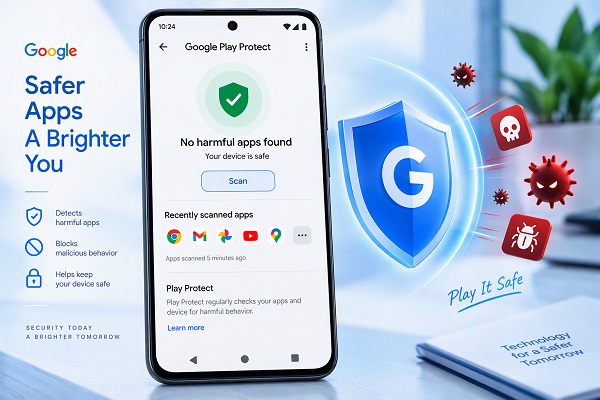
- Enable Google Play Protect
- Avoid downloading APK files from unknown websites
- Use strong passwords and two-factor authentication wherever possible
These habits take only a few minutes but can significantly reduce your risk.
Final Thoughts
Most Android users spend a lot of time looking for the next useful app but very little time cleaning up the apps they already have.
That’s a mistake cybercriminals count on.
The most dangerous apps aren’t always the ones that look obviously malicious. Sometimes they’re the flashlight app asking for your location. Sometimes they’re the free VPN selling your data. Sometimes they’re the old app you installed years ago and completely forgot about.
Reviewing your installed apps regularly is one of the simplest yet most effective cybersecurity practices you can adopt. A cleaner phone isn’t just faster. It’s also safer, more private, and less vulnerable to the growing number of mobile threats targeting Android users every day.