PDF documents are widely used for books, research papers, reports, manuals, lecture notes, business documents and official publications. However, some PDF files can contain dozens or even hundreds of pages, making it difficult to read and understand everything quickly.
Fortunately, artificial intelligence (AI) tools can help you summarise PDF documents in a matter of minutes.
Instead of reading an entire document from beginning to end, you can upload the PDF to a compatible AI tool and ask it to identify the main points, explain difficult sections, extract important information or create a shorter summary.
In this guide, we explain how to summarise PDF documents with AI, the tools you can use, and important things to check when working with AI-generated summaries.
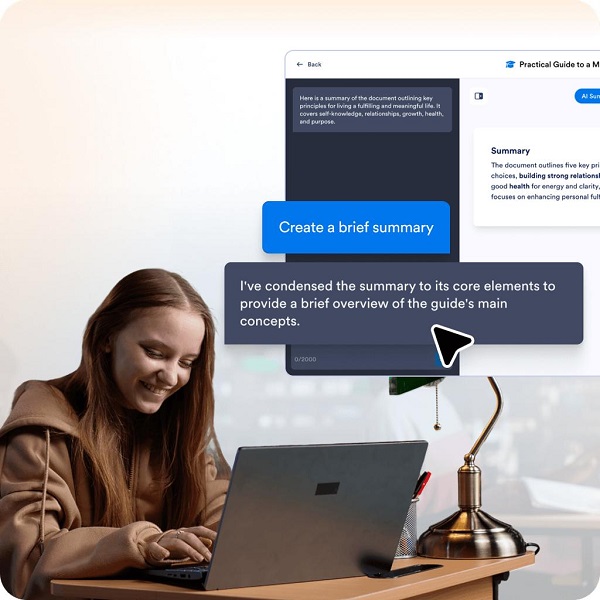
What Does It Mean to Summarise a PDF With AI?
Summarising a PDF with AI means using an artificial intelligence tool to analyse the contents of a PDF and produce a shorter version containing its most important information.
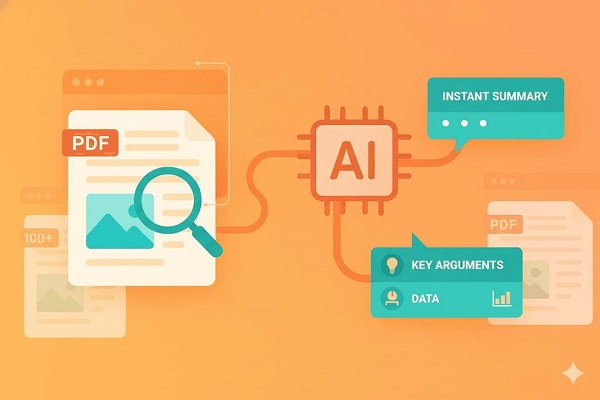
For example, if you have a 100-page research report, an AI tool may help you identify:
- The main subject of the report
- Important findings
- Key arguments
- Conclusions
- Important statistics
- Major recommendations
- Specific sections you want to understand
The result is usually much shorter than the original document.
However, an AI summary should be treated as a starting point rather than a replacement for the original document, especially when the information is important.
Why Use AI to Summarise PDF Documents?
There are several reasons people use AI to summarise PDFs.
1. Saves Time
Reading a long document can take hours. AI can help you identify the most important sections much faster.
2. Makes Complex Documents Easier to Understand
You can ask an AI tool to explain complicated technical or academic language in simpler terms.
3. Helps Students With Study Materials
Students can use AI to summarise lecture notes, textbooks, research papers and other educational materials.
4. Useful for Business Documents
Professionals can use AI to quickly review reports, proposals, meeting documents and lengthy business publications.
5. Allows You to Ask Questions
Some AI tools allow you to ask questions about an uploaded PDF instead of simply generating a summary.
How to Summarise a PDF With AI
The exact process depends on the AI tool you use, but the general procedure is similar.
Step 1: Choose an AI Tool
First, choose an AI service that supports PDF uploads.
Popular options include ChatGPT, Google Gemini, Claude and other AI-powered document-analysis tools.
Check the service’s current file-upload limits and supported document formats because these can vary.
Step 2: Upload Your PDF
Open the AI tool and look for the option to attach or upload a file.
Select the PDF document from your computer or phone.
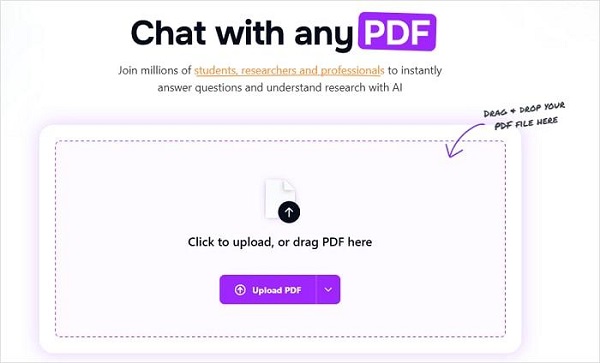
Wait for the document to finish uploading before sending your instruction.
If the PDF is very large, you may need to split it into smaller sections depending on the platform’s file and processing limits.
Step 3: Give the AI a Clear Instruction
After uploading the document, tell the AI exactly what you want.
For example, you can type:
“Summarise this PDF in 500 words and highlight the five most important points.”
You can also request a specific format.
For example:
“Summarise this document using simple English. Include the main argument, key findings, important statistics and conclusion.”
The more specific your instruction is, the more useful the result is likely to be.
Step 4: Review the Summary
After the AI generates the summary, read through it carefully.
Don’t automatically assume that every statement is correct. AI systems can sometimes misunderstand information, omit important details or make mistakes when interpreting complicated documents.
Compare important claims with the original PDF.
Step 5: Ask Follow-Up Questions
One of the biggest advantages of using AI for PDF analysis is that you can continue asking questions.
For example:
📖 Related Reads
- “Explain the conclusion in simple terms.”
- “What are the three main arguments in this document?”
- “List all the recommendations.”
- “What statistics are mentioned?”
- “Summarise Chapter 4 only.”
- “Explain this section as if I were a beginner.”
- “What are the weaknesses identified in this research?”
This can turn a long PDF into an interactive question-and-answer resource.
How to Get a Better AI Summary
Simply asking an AI to “summarise this PDF” may produce a generic result. You can get better results by providing specific instructions.
Ask for a Specific Length
Instead of:
“Summarise this PDF.”
Try:
“Summarise this PDF in approximately 700 words.”
Specify Your Audience
You can ask the AI to write for a particular audience.
For example:
“Explain this research paper in simple language suitable for a secondary school student.”
Request Key Points
You can ask the AI to extract the most important information:
“Summarise this PDF and provide 10 key points.”
Ask for a Section-by-Section Summary
For lengthy documents, this can be more useful than one general summary.
“Summarise each chapter separately and provide the main idea of each chapter.”
Example Prompt for Summarising a PDF
You can copy and use the following prompt:
“Read this PDF carefully and provide a clear summary. Identify the main topic, key arguments, important facts, major findings and conclusion. Use simple language and organise the answer with headings and bullet points. Do not add information that is not contained in the document.”
For academic documents, you could use:
“Summarise this research paper by explaining the research problem, objectives, methodology, major findings, limitations and conclusion. Highlight important statistics and findings where applicable.”
Can AI Summarise Scanned PDFs?
Yes, some AI tools can analyse scanned PDFs, but the quality depends on whether the platform can accurately read the text in the document.
A PDF containing selectable text is generally easier for AI to process. Scanned documents may require OCR (Optical Character Recognition) to convert images of text into machine-readable text.
If the AI cannot properly read your scanned PDF, consider using an OCR-capable application first and then provide the extracted text or converted document to the AI tool.
Can AI Summarise a PDF for Free?
Some AI services provide free access to PDF or document analysis, although the available features, file sizes, number of uploads and usage limits vary.
Before uploading a large number of documents, check the service’s current terms and limits.
Free access can be sufficient for occasional summaries, while people who regularly analyse large documents may need a paid plan.
Important Things to Remember
AI PDF summarisation is useful, but it has limitations.
Always verify important information. If the document concerns legal, financial, medical, academic or professional matters, check the AI’s summary against the original source.
You should also avoid uploading confidential documents to an AI service unless you understand the platform’s privacy and data-handling policies.
AI can also overlook information contained in charts, tables, images, footnotes or poorly scanned pages.
Final Thoughts
Learning how to summarise PDF documents with AI can save considerable time when dealing with lengthy reports, research papers, textbooks and other documents.
The basic process is straightforward: upload the PDF, provide a clear prompt, review the summary and ask follow-up questions where necessary.
For the best results, don’t simply ask AI to shorten the document. Tell it what information you need, how you want the summary structured and who the intended audience is.
Most importantly, use AI as a tool to help you understand documents—not as a substitute for verifying important information in the original PDF.