You try to log in and your password doesn’t work. Or friends message you saying you sent them strange links. Either way, a hacked Facebook account is stressful, but it’s usually recoverable if you act quickly.
This guide walks you through spotting a hack, getting back in, and making sure it doesn’t happen again.
ALSO READ: AI Tools Every Content Creator Should Use in 2026
Signs Your Facebook Account Has Been Hacked
Watch for these red flags:
- You’re suddenly logged out and your password no longer works
- Your email address, phone number, or name was changed without you doing it
- Posts, messages, or friend requests you never made
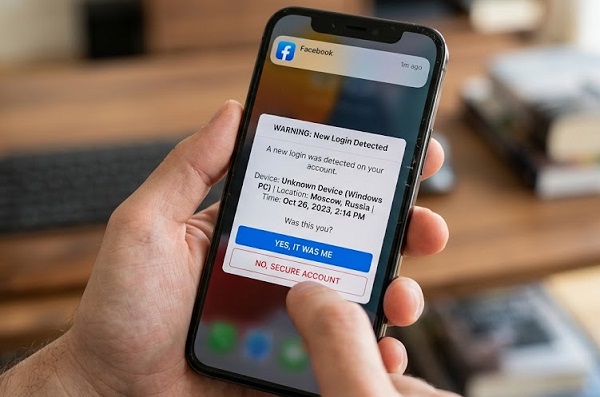
- Login alerts from unfamiliar devices or locations
- Ads running on your account that you didn’t create
- Friends report spam or scam messages coming from you
What To Do Right Now
Step 1: Go to Facebook’s official recovery page
On any device, visit facebook.com/hacked and choose the option that matches your situation (for example, “My account is compromised” or “I can’t log in”). Facebook will walk you through verifying your identity and resetting your password.
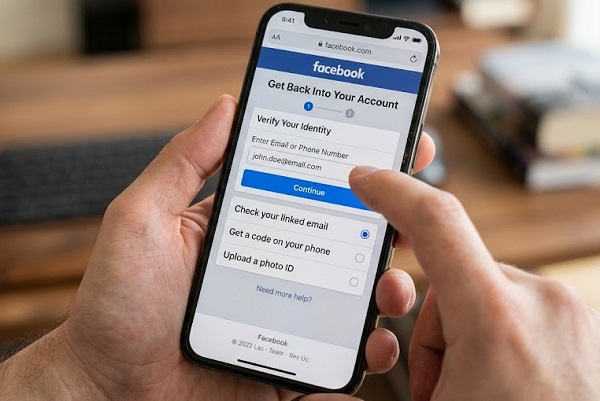
Step 2: Try the standard password reset
If you still control the email or phone number on the account:
- Go to facebook.com/login/identify
- Enter your email, phone number, or username
- Request a reset code and enter it
- Create a new, strong password you’ve never used elsewhere
Step 3: Check your email for security messages
If the hacker changed your login email, Facebook usually sends a notice to your original email address with a link to secure your account or reverse the change. Check your inbox and spam folder, and act on that link promptly, because it may expire.
Step 4: Verify your identity if you’re locked out
If the hacker changed both your email and phone number, you can’t receive codes. Facebook may then offer to confirm your identity with a video selfie or by uploading an ID. Follow the on-screen instructions. Only do this inside Facebook’s official pages, and never through a link sent by a stranger or a “recovery agent.”
Step 5: Log out of all other devices
Once you’re back in:
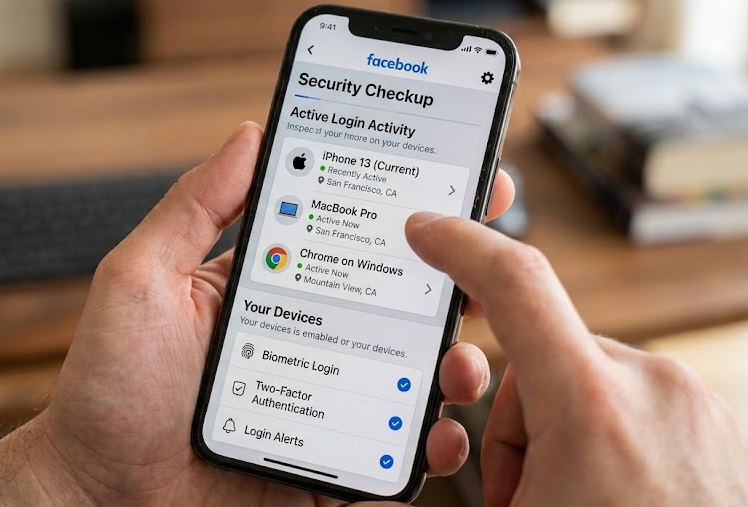
- Open Settings & privacy → Settings → Accounts Center → Password and security
- Select Where you’re logged in
- Choose any unfamiliar session and log it out, or select all of them
Step 6: Review and undo the damage
- Delete posts, messages, and ads you didn’t create
- Remove unfamiliar friends and apps under Settings → Apps and websites
- Check the email addresses and phone numbers listed on your account, and remove any that aren’t yours
- Review your payment methods and ad account for unauthorized charges
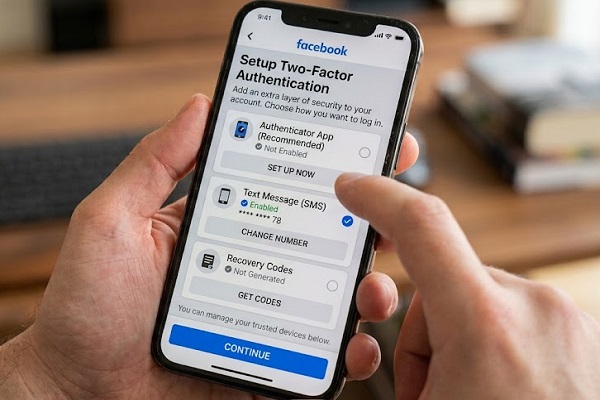
Step 7: Turn on two-factor authentication
Go to Password and security → Two-factor authentication. An authenticator app (like Google Authenticator or Authy) is more secure than SMS codes, since phone numbers can be hijacked.
📖 Related Reads
Step 8: Warn your friends
Post from your recovered account, or message close contacts, to let them know scam messages may have come from your profile. Tell them not to click links or send money.
Secure the Accounts Around Facebook
Hackers often get in through other weak points, so also:
- Change your email password, since anyone with your email can reset your Facebook password
- Change passwords on any other account that used the same password
- Scan your device for malware and update your operating system and browser
How To Prevent Your Facebook Account From Being Hacked Again
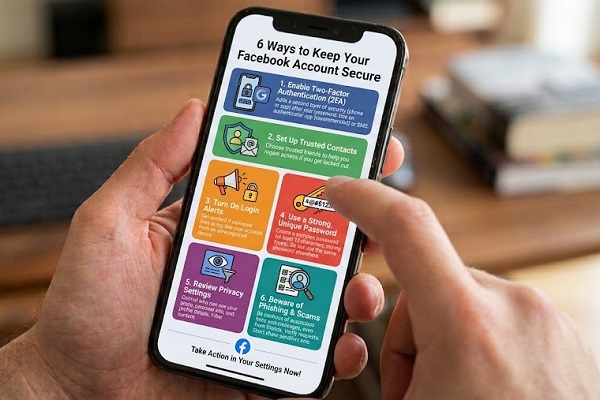
- Use a unique, long password. A password manager makes this easy.
- Enable two-factor authentication. This blocks most takeover attempts.
- Turn on login alerts so you’re notified of unrecognized logins.
- Beware of phishing. Facebook will not ask for your password through messages, and fake “policy violation” or “copyright” warnings are a common trick.
- Don’t use third-party apps you don’t trust and avoid quizzes asking for broad account permissions.
- Run Security Checkup regularly to review devices, saved logins, and recovery info.
Frequently Asked Questions
Can I recover my Facebook account if the hacker changed my email and phone number?
Often yes. Start at facebook.com/hacked, check your old email for a security notice from Facebook, and use identity verification if offered.
How long does Facebook account recovery take?
Simple resets take minutes. Cases that need identity review can take several days.
Should I pay someone to recover my account?
No. Services that promise guaranteed recovery for a fee are almost always scams. Recovery through Facebook’s official tools is free.
Can hackers see my private messages?
If they had access to your account, they may have. Change your password, log out all devices, and consider telling people you chatted with.
Will I lose my photos and posts?
Usually not. If you regain access, your content is typically intact unless the hacker deleted it.
Final Thoughts
A hacked Facebook account feels alarming, but the steps are clear: use Facebook’s official recovery page, secure your email, log out unknown devices, and switch on two-factor authentication. Share this guide with a friend who might need it.