A VPN, or Virtual Private Network, can be useful when you want to improve your privacy while using public Wi-Fi, protect your internet traffic from local network snooping, or connect through a server in another country.
For Nigerians, a VPN can also be useful when travelling, working remotely, accessing services that are unavailable in a particular location, or using public networks at universities, airports, hotels and cafés.
However, choosing a free VPN requires some caution. Not every free VPN provides the same level of privacy, speed, data allowance or server access. Some free services may also have limitations that make them unsuitable for heavy streaming, large downloads or everyday use.
In this guide, we look at some established VPN services that offer free plans, their advantages and disadvantages, and the safety precautions Nigerians should take before installing any VPN.
What Is a VPN?
A VPN creates an encrypted connection between your device and a VPN server.
Instead of connecting directly to a website or online service, your internet traffic is routed through the VPN service first.
This can help:
- Encrypt traffic on unsecured networks
- Hide your IP address from websites you visit
- Improve privacy when using public Wi-Fi
- Reduce the ability of local network operators to see the contents of your encrypted traffic
- Connect through servers in different locations
However, a VPN does not make you completely anonymous online.
Your VPN provider can potentially become an important part of your privacy model, which is why choosing a trustworthy provider matters.
A VPN also does not protect you from phishing, malware, weak passwords, fraudulent websites or voluntarily sharing personal information online.
Free VPNs Nigerians Can Consider
1. Proton VPN Free
Proton VPN offers a free VPN plan with unlimited data and no advertisements. Proton says its free plan does not impose data or speed limits and operates under its no-logs policy.
It supports major platforms including Android, iPhone/iPad, Windows, macOS and Linux.
Pros
- Unlimited data
- No advertisements
- No-logs policy
- Kill switch
- Apps for Android, iPhone, Windows, macOS and Linux
- Useful for public Wi-Fi protection
- Free plan does not expire
Cons
- Free users have fewer server/location choices than paid subscribers
- VPN connections can still be slower than a direct connection
- Some advanced features require a paid subscription
- Free service may not be ideal for users who need a specific country or server
Proton itself notes that VPN speed can be affected by factors such as server load, distance to the VPN server and the speed of your original internet connection.
Who is it suitable for?
It can be useful for Nigerian students, remote workers and everyday users who want a free VPN without a monthly data allowance.
2. Windscribe Free
Windscribe provides a free plan that can be used on phones, browsers and desktop computers.
According to Windscribe’s current information, free users can access servers in 11 countries. Users who confirm their email address receive up to 10GB of data per month; accounts without a confirmed email are limited to 2GB per month.
Pros
- Up to 10GB monthly data with a confirmed email
- Available on phones and computers
- Multiple free server locations
- Windscribe says it does not log connections or sell user data
- Useful for occasional browsing and privacy protection
Cons
- 10GB can be insufficient for heavy streaming
- Free users have fewer server locations than paid subscribers
- Performance can vary depending on server congestion and location
- The monthly allowance makes it less suitable for constant VPN use
Who is it suitable for?
Windscribe can be useful if you only need a VPN periodically and want a defined monthly data allowance.
For example, 10GB may be enough for occasional browsing, checking websites and using public Wi-Fi, but heavy video streaming can consume that allowance quickly.
3. TunnelBear Free
TunnelBear is another established VPN provider with a free plan.
TunnelBear’s current free service provides 2GB of encrypted data per month. The company says free users can browse securely and use features such as VigilantBear and GhostBear.
TunnelBear also lists Nigeria among the countries available through its service.
Pros
- Simple interface
- Easy for beginners to understand
- Free plan available
- Security features included
- Nigeria is among its listed supported countries
- TunnelBear says its free service does not rely on tracking or selling user data
Cons
- Only 2GB of free data per month
- Not suitable for heavy streaming
- Some advanced features are restricted to paid users
- Country selection and certain features have been moved to paid plans
Who is it suitable for?
TunnelBear can be useful for someone who wants to test VPN technology or needs occasional protection on public Wi-Fi.
The 2GB monthly limit means it is not designed to replace an unlimited everyday internet connection.
Free VPN Comparison
| VPN | Free Data | Main Advantage | Main Limitation |
|---|---|---|---|
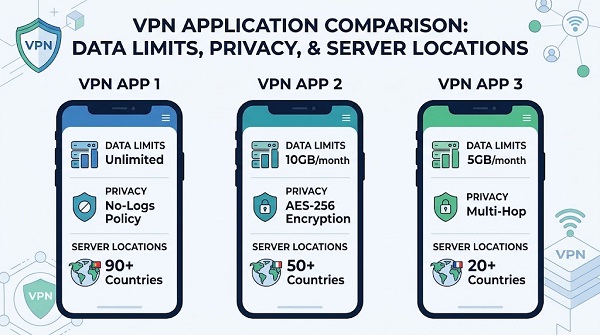
| Proton VPN | Unlimited | No data limit | Fewer free locations/features |
| Windscribe | Up to 10GB/month | Larger free allowance | Monthly data cap |
| TunnelBear | 2GB/month | Simple interface | Small data allowance |
The allowances above reflect the providers’ current published free-plan information and can change over time.
Are Free VPNs Safe to Use in Nigeria?
A free VPN can be safe, but free does not automatically mean safe.
The important question is how the VPN provider operates its service.
A VPN company has infrastructure to maintain, including servers, software development, security research and customer support.
If a company offers a service at no cost, users should understand how that service is funded.
Be especially cautious about completely unknown VPN apps that make aggressive promises such as:
- “100% anonymous”
- “Unlimited free internet”
- “Free internet without data”
- “Untraceable browsing”
- “No registration required”
- “Free premium VPN forever”
These claims should not automatically be trusted.
Safety Tips Before Installing a Free VPN
1. Download From the Official App Store
Android users should normally download VPN applications through Google Play, while iPhone users should use the Apple App Store.
You can also visit the VPN provider’s official website and follow its download instructions.
Avoid downloading modified APK files from random websites.
A modified VPN application could contain malware or request permissions that have nothing to do with VPN functionality.
2. Check the Developer Name
Before installing an application, check who published it.
Cybercriminals can create apps with names and logos that resemble popular services.
Look for the official developer information and compare it with the provider’s official website.
3. Read the Privacy Policy
A VPN can route a large portion of your internet traffic through its infrastructure.
That makes the provider’s privacy policy important.
Look for information about:
- What data is collected
- Connection logs
- IP address handling
- Account information
- Analytics
- Data sharing
- Data retention
- Third-party services
Do not choose a VPN simply because its advertisement says “zero logs.”
Read what the company actually says about its data practices.
4. Check App Permissions
A VPN application may need certain permissions to operate, but excessive permissions should make you cautious.
For example, a basic VPN should not need unrestricted access to unrelated personal information simply because you want to establish a VPN connection.
Review the permissions requested during installation.
5. Never Give a VPN Your Banking PIN
A VPN does not need your:
- Bank PIN
- ATM PIN
- OTP
- WhatsApp verification code
- Email password
- Banking password
If an application or person claiming to represent a VPN provider asks for sensitive authentication information, stop and verify the request.
Does a VPN Give You Free Internet Data?
No.
This is an important distinction for Nigerian internet users.
A VPN encrypts and routes your internet traffic. It does not create free mobile data.
📖 Related Reads
If someone advertises a VPN APK claiming that it can give you unlimited MTN, Airtel, Glo or 9mobile data for free, treat the offer with extreme caution.
Such applications may be fraudulent, malicious or designed to steal information.
A VPN also does not legitimately bypass your mobile network operator’s billing system to provide free internet access.
Can a VPN Make Internet Speed Faster?
Usually, you should not expect a VPN to make your normal internet connection faster.
In fact, adding VPN encryption and routing can sometimes reduce connection speed.
Proton VPN notes that VPN performance can be affected by server load, the distance between your device and the VPN server and the speed of your original internet connection.
If your internet is slow, the problem may instead be caused by:
- Network congestion
- Weak mobile signal
- Poor Wi-Fi
- An overloaded router
- ISP problems
- Background downloads
- Poor server performance
A VPN is primarily a privacy and routing tool, not a speed booster.
Can a VPN Protect You on Public Wi-Fi?
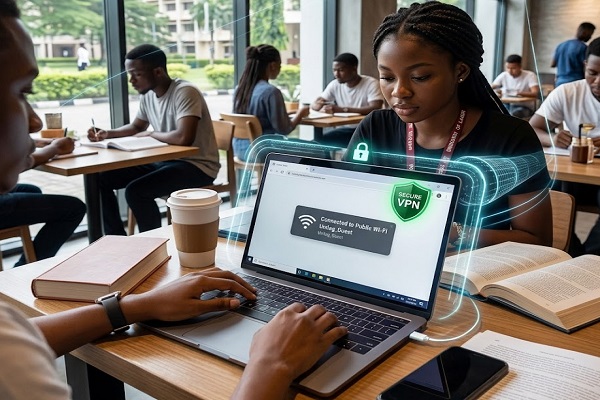
A VPN can provide an additional layer of protection when you are connected to public or unsecured Wi-Fi.
For example, you might connect to Wi-Fi at:
- A university
- Airport
- Hotel
- Restaurant
- Café
- Library
- Shopping centre
A VPN encrypts traffic between your device and the VPN service, which can make it harder for someone on the same network to inspect the contents of your encrypted connection.
However, you should still use HTTPS websites, strong passwords and multi-factor authentication.
A VPN is not a substitute for good cybersecurity practices.
Should Students in Nigeria Use a Free VPN?
Students may find a VPN useful when using public Wi-Fi on campus, in hostels, libraries or cafés.
For example, a student could use a VPN when accessing school portals or conducting research over an unfamiliar public network.
However, students should be careful about data limits.
A free VPN with a 2GB or 10GB monthly allowance may not be practical if the student uses it for hours of video streaming every day.
For occasional privacy protection, a free plan may be sufficient.
Should You Leave Your VPN On All the Time?
Not necessarily.
Whether you keep a VPN connected depends on your needs.
You may want to use it when:
- Connecting to public Wi-Fi
- Travelling
- Working remotely
- Protecting traffic on an unfamiliar network
- You specifically need a VPN connection
If your VPN causes significant speed or connectivity problems, you can disconnect it when it is not needed.
Some VPN applications also provide automatic connection features that can activate protection when you join an unsecured Wi-Fi network.
Free VPN vs Paid VPN
Free VPNs can be useful, but they generally have fewer resources or features than paid plans.
A paid VPN may provide:
- More server locations
- More simultaneous connections
- Larger or unlimited bandwidth
- More advanced privacy features
- Better support
- Additional security tools
That does not mean every paid VPN is automatically trustworthy.
The same principles apply: investigate the provider, read its privacy policy and understand what information it collects.
How to Choose a VPN in Nigeria
Before installing a VPN, ask these questions:
Does it have a clear privacy policy?
The company should explain what information it collects and how it handles that information.
Does it impose a data limit?
A VPN with 2GB of monthly data will behave very differently from one offering unlimited data.
Does it support your device?
Check compatibility with Android, iPhone, Windows, macOS or other devices you use.
Does it have the locations you need?
Free plans often restrict the number of available countries or servers.
Does it have a good reputation?
Look beyond advertising claims. Check independent security reviews, audits and the provider’s history.
Is it transparent about its business model?
Understand how the provider funds its service.
Common VPN Mistakes to Avoid
Installing a random “free VPN APK”
This is one of the biggest risks.
Use official sources whenever possible.
Assuming a VPN makes you anonymous
A VPN improves privacy but does not erase your online identity.
Websites can still identify you through accounts, cookies, browser fingerprinting and other technologies.
Using a VPN to enter sensitive information on suspicious websites
A VPN cannot make a phishing website legitimate.
If a website looks suspicious, do not enter your password, card details or banking information.
Forgetting the VPN’s data limit
A free plan can stop working or become restricted after you reach its monthly allowance.
Using the VPN as your only security measure
Continue using strong passwords, two-factor authentication, device updates and antivirus/security protections where appropriate.
Final Thoughts
Free VPNs can be useful for Nigerians who want an additional layer of privacy, especially when using public Wi-Fi or unfamiliar networks.
However, there are major differences between free plans.
Proton VPN currently offers unlimited data on its free plan, while Windscribe provides up to 10GB per month with a confirmed email address. TunnelBear provides 2GB per month on its free plan.
The right choice depends on how you intend to use the VPN. Someone who only needs occasional protection may have very different requirements from a user who wants to route most of their daily internet traffic through a VPN.
Most importantly, do not install an unknown VPN simply because it promises free internet, unlimited data or complete anonymity. Download applications from reputable sources, examine their permissions and privacy policies, and remember that a VPN is only one part of staying safe online.
For Nigerian users, the safest approach is to treat a VPN as a privacy and security tool—not a way to obtain free mobile data or bypass legitimate internet billing.