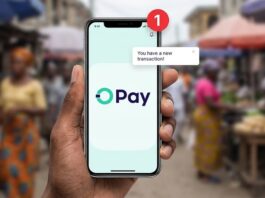
Mobile banking has made it easier for Nigerians to transfer money, pay bills, buy airtime, check account balances and manage their finances without visiting a bank branch. With banking apps, USSD codes and instant transfers, financial transactions can now be completed within seconds.
However, the convenience of mobile banking also comes with security risks. Phishing messages, fake banking applications, SIM-swap fraud, stolen phones and social engineering scams can expose your bank account to criminals.
Whether you use a commercial bank app, a microfinance bank, a digital bank or USSD banking, protecting your financial information should be a priority.
In this guide, TechFalz explains the safe mobile banking practices every Nigerian should follow to protect their money, personal information and bank accounts.
1. Download Banking Apps Only From Official Sources
One of the most important mobile banking security practices is downloading your bank’s application from a trusted source.
Fraudsters sometimes create fake banking apps designed to look like genuine applications. These apps may steal login details, request unnecessary permissions or collect sensitive information.
To stay safe:
- Download banking apps through the Google Play Store or Apple App Store.
- Follow the app link provided on your bank’s official website.
- Check the developer’s name and other authenticity indicators before installing an app.
- Keep your banking application updated.
- Avoid installing banking apps from random websites, WhatsApp messages or unofficial APK download platforms.
Remember that an app appearing in an app store does not automatically guarantee that it is legitimate. Confirm that it belongs to your actual bank.
2. Never Share Your PIN, Password, OTP or Transaction Code
Your banking credentials are private. Never disclose them to another person, even if that person claims to be a bank employee, security officer or customer care representative.
Fraudsters may contact victims through phone calls, SMS, WhatsApp or social media and claim that an account will be blocked unless the victim provides a one-time password (OTP) or transaction authentication code.
Do not fall for this trick.
Never share:
- Your mobile banking PIN.
- Your internet banking password.
- Your ATM card PIN.
- Your OTP or transaction authorization code.
- Your card CVV or other confidential card details.
A genuine bank representative should not ask you to reveal your secret PIN or password. If someone requests these details, end the conversation and contact your bank using an official channel.
3. Use a Strong, Unique Banking Password
If your bank offers internet banking or password-based app access, create a strong password that is difficult to guess.
Avoid passwords based on your date of birth, phone number, name, wedding anniversary or simple sequences such as 123456.
Use a unique password that you do not use for social media, email or other websites. Reusing passwords creates additional risks because a password stolen from one service may be used to attack another account.
Where available, use a password manager to generate and securely store complex passwords.
If your banking app relies primarily on a PIN, choose one that is difficult for someone who knows you to guess.
4. Enable Biometric Authentication and Screen Locks
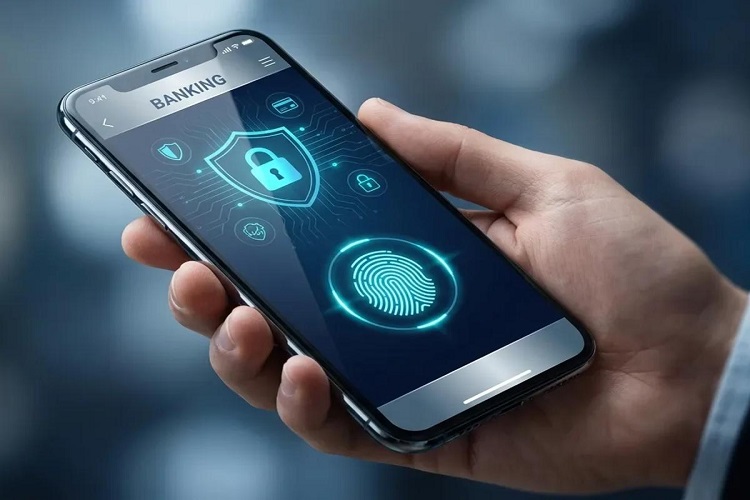
Biometric authentication, such as fingerprint or facial recognition, can add another layer of protection to compatible banking applications.
You should also secure your smartphone with a strong screen lock.
Recommended precautions include:
- Enable fingerprint or facial recognition where supported.
- Use a strong device PIN or password.
- Set your phone to lock automatically after a short period of inactivity.
- Hide sensitive notification content on your lock screen.
- Avoid leaving your phone unlocked when other people can access it.
Biometric authentication is not a substitute for other security measures. Continue protecting your passwords, PINs and transaction codes.
5. Be Careful With USSD Banking Codes
USSD banking remains useful in Nigeria, especially when mobile data is unavailable or internet connectivity is poor. However, you should use it carefully.
Always confirm that you are using the correct USSD code for your bank. Obtain the code from your bank’s official website, verified customer service channel or official banking materials.
When using USSD:
- Never enter your PIN in response to an unexpected instruction from a stranger.
- Read the transaction details before confirming.
- Confirm the recipient’s name and account information where displayed.
- Do not allow another person to operate your banking session.
- End the session after completing your transaction.
- Avoid sharing your phone while a banking session is active.
Be cautious of unsolicited messages claiming that you must dial a code to reverse a transfer, unlock your account or receive a reward.
Do not dial a banking code simply because someone on the phone instructs you to do so.
6. Protect Your SIM Card and Registered Phone Number
Your registered phone number may receive transaction alerts, verification codes and account recovery messages. If criminals take control of that number, they may attempt to compromise your banking access.
SIM-swap fraud occurs when a criminal fraudulently obtains control of a victim’s mobile number through a replacement SIM or another form of account takeover.
To reduce the risk:
- Protect your SIM registration and identity information.
- Never disclose verification codes to callers.
- Contact your mobile network operator immediately if your SIM unexpectedly loses service and you suspect unauthorized activity.
- Notify your bank promptly if your registered number is compromised.
- Secure the email account linked to your banking profile.
- Use any additional account protection offered by your network operator.
A sudden loss of mobile network service is not always evidence of fraud, but unexplained loss of service combined with suspicious banking notifications requires urgent attention.
7. Avoid Banking Through Public Wi-Fi
Public Wi-Fi networks in airports, hotels, restaurants and other public places may not provide adequate protection against all security threats.
Avoid accessing your banking account or making sensitive transactions over unfamiliar public Wi-Fi networks.
Instead, use your trusted mobile data connection or another secure network.
If you must use a public network, verify its legitimacy and avoid sensitive financial activities whenever possible. A VPN may improve privacy in some circumstances, but it does not protect you from phishing, fake banking apps or compromised devices.
8. Watch Out for Fake Bank Messages and Phishing Links
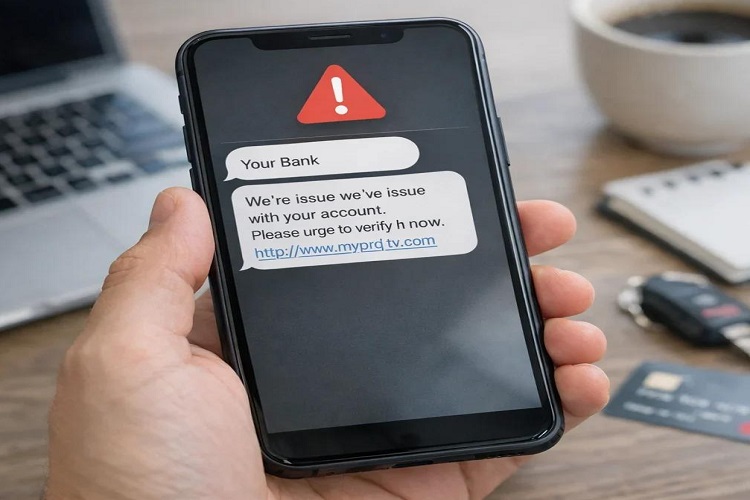
Phishing is a common technique used to trick people into revealing their financial information. A criminal may send a message claiming that your account has been suspended, your BVN requires verification or a transfer needs urgent confirmation.
The message may contain a link to a fake website that resembles your bank’s official website.
Warning signs include:
- Unexpected requests to verify your account through a link.
- Messages creating panic or demanding immediate action.
- Websites with misspelled domain names.
- Offers of cash rewards that require banking credentials.
- Requests to install an app or share your screen.
- Messages from unknown numbers claiming to represent your bank.
Do not click suspicious links. Open your bank’s official app or manually visit its verified website instead.
Remember that criminals can imitate familiar logos and display names. A professional-looking message is not proof that it is genuine.
9. Never Allow Strangers to Control Your Phone Remotely
Fraudsters may ask you to install remote-access software or screen-sharing applications, claiming they need to help you resolve a banking problem.
Once access is granted, they may be able to view sensitive information or manipulate activities on your device, depending on the software and permissions involved.
Never give a stranger remote access to your phone for banking support.
Do not share your screen while entering your PIN, password or OTP. If you have already installed an application at the request of a suspicious caller, disconnect the session, revoke its permissions and remove the application. Contact your bank immediately if your banking details may have been exposed.
📖 Related Reads
10. Verify Every Transfer Before Confirming
Mistaken transfers can be difficult and stressful to resolve. Fraudsters may also manipulate victims into sending money to fraudulent accounts.
Before confirming a transfer:
- Verify the recipient’s name.
- Check the account number or other recipient identifier.
- Confirm the amount.
- Review the transaction description and applicable charges.
- Confirm that the payment request is genuine.
- Keep the transaction receipt or reference number.
Do not rely only on a screenshot of a payment alert supplied by another person. Check your own banking app or account statement to confirm that money has actually arrived.
If someone sends you money unexpectedly and asks you to transfer it to another account, verify the situation with your bank before acting.
11. Set Transaction Limits and Enable Banking Alerts
Where your bank provides these options, use transaction limits and notifications to improve account security.
Consider setting reasonable limits for daily transfers, online transactions and card payments. Choose limits that suit your normal banking needs rather than leaving unnecessarily high limits in place.
Enable notifications for:
- Withdrawals and transfers.
- Card transactions.
- Login attempts or new-device access, if supported.
- Changes to account details.
- Password resets and other security events.
Review alerts promptly. If you receive a transaction notification you cannot explain, contact your bank through an official channel.
Do not ignore repeated failed login alerts or unexpected password-reset messages.
12. Keep Your Phone and Banking App Updated
Software updates often include security fixes that address vulnerabilities in operating systems and applications.
Enable automatic updates where practical, or check regularly for updates from official sources.
You should also:
- Remove apps you no longer use.
- Review application permissions.
- Avoid rooting or jailbreaking a phone used for banking unless you fully understand the risks.
- Install reputable security software when appropriate.
- Keep enough free storage for essential security updates.
- Restart your device periodically and investigate unusual behaviour.
Never install an update from a suspicious pop-up or unsolicited message. Use your device’s official update settings and trusted app store.
13. Be Careful When Using Shared or Borrowed Phones
Your banking information can be exposed if you use a device that is not under your control.
Avoid logging into your bank on a stranger’s phone, a public computer or an untrusted device.
If you must use another device in an emergency, avoid saving passwords, log out completely and ensure that your credentials have not been stored. Change your password from a trusted device if you suspect it was exposed.
For everyday transactions, use your own secured phone whenever possible.
14. Protect Your BVN, NIN and Personal Information
Your Bank Verification Number (BVN), National Identification Number (NIN), date of birth, registered phone number and other personal details may be used by criminals in social engineering or identity-related fraud.
Do not post sensitive personal information publicly or send it to unverified individuals.
Share identity documents only when there is a legitimate need, through an authentic and appropriately secured channel. Verify requests for personal information independently.
Remember that a BVN or NIN alone does not automatically give someone unrestricted access to your account. However, criminals may combine personal information with stolen credentials, impersonation and other tactics to attempt fraud.
15. Know What to Do If You Suspect Mobile Banking Fraud
Act quickly if you notice an unauthorized transfer, receive suspicious transaction alerts or believe someone has accessed your banking account.
Follow these steps:
Step 1: Contact your bank immediately. Use the official number on your bank card, official website or verified app. Report the suspected fraud and request appropriate protective action.
Step 2: Request that affected access be secured. Ask the bank whether it can block your card, restrict electronic transactions, secure your digital banking profile or take other relevant measures.
Step 3: Secure your phone number. Contact your mobile network operator if your SIM may have been compromised.
Step 4: Change exposed credentials. From a trusted device, change affected banking and email passwords, and reset compromised PINs through official procedures.
Step 5: Preserve evidence. Keep transaction references, timestamps, messages, phone numbers and screenshots that may support an investigation. Do not delete relevant evidence.
Step 6: Report the incident. Follow your bank’s complaint process and report suspected criminal activity to the appropriate Nigerian law-enforcement authority where necessary.
Step 7: Follow up in writing. Keep your complaint reference number and copies of communications. Ask the bank about the next steps and any applicable dispute or recovery procedure.
A reversal or recovery is not guaranteed, so speed matters. Never pay an unknown person who promises to recover your money through unofficial means.
16. Use Only Official Bank Customer Support Channels
Fraudsters sometimes create fake customer support accounts on Facebook, Instagram, X and WhatsApp. They may monitor public complaints and contact victims while pretending to offer assistance.
When looking for help:
- Visit your bank’s official website.
- Use the contact details published inside its verified banking app.
- Verify social media accounts independently.
- Never send your PIN, password or OTP to a support agent.
- Avoid customer care numbers posted by unknown people in comment sections.
If you are unsure whether a contact is genuine, end the conversation and initiate contact yourself through a verified channel.
Final Thoughts
Safe mobile banking in Nigeria requires a combination of secure devices, careful transactions and awareness of common scams. Strong passwords, protected SIM cards, official banking applications and quick responses to suspicious activity can significantly reduce your exposure to financial fraud.
Most importantly, never share your PIN, password or OTP, and do not allow strangers to control your phone. Verify every payment before confirming it and contact your bank immediately if something appears wrong.
Your money is worth protecting. Make mobile banking security part of your everyday routine.
Disclaimer: This article is for general educational purposes and does not replace guidance from your bank or relevant authorities. Banking procedures and security features may vary by institution.
Reference:
-
Reference 1 – Central Bank of Nigeria
-
Reference 2 – NCC
-
Reference 3– EFCC