Have you ever searched for a product on Google and later noticed advertisements for similar products on another website? Have you used Google Maps to find a location, watched a few videos on YouTube, or searched for a health-related question and wondered how much information these activities reveal about you?
These experiences raise an important question: How much information does Google actually know about you?
Google operates some of the most widely used digital services in the world, including Google Search, Gmail, YouTube, Google Maps, Chrome, Google Photos, Google Drive, and Android-related services. When you use these products, Google may collect information about your activities, devices, preferences, and interactions.
The amount of information associated with your account depends on the services you use, whether you are signed in, your device settings, and the privacy controls you have enabled.
This does not mean Google automatically knows everything about your private life. However, the information generated by everyday digital activities can reveal more about your interests and behaviour than many people realise.
In this TechFalz guide, you will learn what Google may know about you, how it uses that information, how to check what has been saved, and what you can do to improve your privacy.
1. Google May Know What You Search For
Google Search is one of the most direct ways your interests can become visible to a technology company.
When you search for information, your queries may reveal topics you are researching, products you are considering, places you want to visit, or questions you want answered.
For example, searches such as these may reveal different interests:
-
Best Android phones under ₦100,000.
-
How to apply for a job in Nigeria.
-
Universities offering postgraduate programmes.
-
How to start a small business.
-
Hotels near a particular destination.
-
How to solve a specific technical problem.
If you are signed in to your Google Account and the relevant activity settings are enabled, some searches may be saved to your account.
Google can use saved activity to personalise certain experiences, such as search results and recommendations. Search information may also be retained in other technical records for purposes described in Google’s privacy policy.
However, it is important to distinguish between information Google stores and information it infers. A search for a product does not necessarily mean you purchased it, and a search about a medical condition does not prove that you have that condition.
How to check: Visit Google My Activity and review the activity associated with your account.
2. Google May Know Which YouTube Videos You Watch
YouTube is part of Google’s digital ecosystem, and your viewing activity can help shape the videos and recommendations you see.
Depending on your account and activity settings, YouTube may save information about videos you watch and searches you perform on the platform.
For example, repeatedly watching technology tutorials may influence the recommendations displayed on your homepage. Watching educational videos, music, sports, business content, or entertainment can similarly affect the suggestions you receive.
This information can make YouTube more convenient, but it can also create a detailed record of your viewing interests over time.
Your watch history does not necessarily reveal your exact beliefs or personal circumstances. Several people may use the same device, and a video can be watched for many different reasons.
How to check: Open YouTube History and review the activity saved to your account.
You can delete individual entries, remove activity for a particular period, or change the available history controls.
3. Google May Collect Location Information
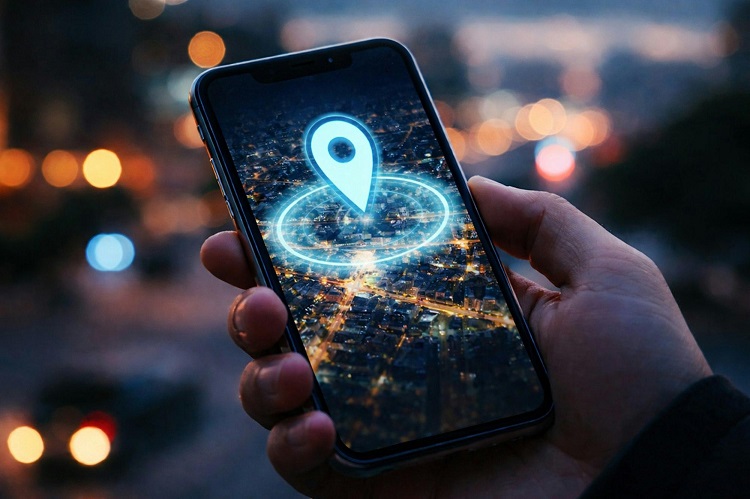
Location information is among the most sensitive categories of data associated with modern smartphones.
Google services may receive location information from different sources, depending on your device, permissions, and settings. These can include GPS, your IP address, nearby Wi-Fi networks, mobile network information, and your interactions with location-based services.
Google Maps is an obvious example. When you request directions, search for nearby restaurants, or look for a business, location information can help provide relevant results.
If you enable Google Maps Timeline, supported devices can save a history of places you visit and routes you take. Current Timeline storage arrangements and options depend on the settings and device configuration available to you.
This is different from simply using Google Search. Turning off one activity setting does not automatically disable every location-related feature.
For instance, turning off Web & App Activity does not necessarily stop location information from being saved through Timeline or other services.
How to check:
-
Visit Google Maps Timeline.
-
Review whether Timeline is enabled and what information is available.
-
Check your Google Account activity controls.
-
Review your phone’s location permissions for Google apps.
-
Disable or delete location history if you do not want it retained.
Remember that deleting Timeline data does not automatically remove every other form of location information Google may hold.
4. Google May Know Information About Your Device
When you use Google services, the company may receive technical information about your device and its connection to those services.
Depending on your setup, this can include:
-
Device type and model.
-
Operating system and application versions.
-
Browser type and settings.
-
IP address.
-
Mobile network or carrier information.
-
Crash reports and diagnostic information.
-
Device identifiers and information about interactions with Google services.
For example, if you use an Android phone with Google apps, your device may communicate with Google servers for activities such as app updates and service operations.
This information can help Google maintain its services, troubleshoot problems, detect abuse, and understand how its products are being used.
Technical data does not automatically reveal everything stored on your phone. Google does not gain unrestricted access to every photograph, document, or private message merely because you use an Android device.
Access depends on the service, permissions, settings, and information you choose to share.
How to protect yourself: Review application permissions, remove apps you do not need, install software from trusted sources, and keep your device updated.
5. Google May Use Your Activity to Personalise Advertisements
Have you ever searched for a laptop and later noticed advertisements for laptops, accessories, or related products?
Advertising personalisation is one reason online advertisements can sometimes appear closely connected to your interests.
Depending on your settings and the service involved, Google may use information such as your activity on Google services, general location, interactions with advertisements, and inferred interests to personalise advertising.
Some websites and applications also use Google advertising or analytics services. Information about your interactions with those services may be shared with Google as described in its policies and the relevant site or app settings.
However, not every advertisement you see is based on a search you personally performed. Advertisers can target audiences using different criteria, and advertisements may be contextual rather than personalised.
How to check: Visit My Ad Center to review available advertising personalisation controls.
You can also review Google’s Privacy Policy to understand how information may be collected and used.
Disabling personalised advertising does not necessarily mean you will stop seeing advertisements. It changes how personal information is used to personalise them.
6. Google May Know Information You Share Through Gmail
Gmail stores the emails you send and receive, along with related information needed to operate the service.
Depending on how you use Gmail, your account may contain names, email addresses, attachments, travel confirmations, receipts, job applications, invoices, newsletters, and other correspondence.
This information can be highly personal because people often use email to manage both professional and private activities.
Google’s systems may process email content and related information to provide features such as spam filtering, security protection, and other service functions. The specific processing depends on the product and its applicable policies.
It is inaccurate, however, to assume that Google employees routinely read every user’s private email. Google’s privacy policy explains how information is handled, and access is subject to its policies and security controls.
You should still treat your inbox as a sensitive information store.
How to improve your privacy:
-
Secure your Google Account with a strong password or passkey.
-
Enable two-step verification where available.
-
Review third-party applications with access to your account.
-
Delete unnecessary emails containing sensitive information.
-
Be careful when forwarding documents or identity details.
-
Avoid sharing confidential information with unknown senders.
You can review the applications and services connected to your Google Account through its security settings.
7. Google Photos and Drive May Contain Your Personal Files
Google Photos and Google Drive can store personal photographs, videos, documents, work files, backups, and other information you choose to upload.
Depending on your settings, photographs may include metadata such as the date they were taken and, if location information was recorded, where they were captured.
Google Drive may contain CVs, business plans, invoices, school documents, contracts, and other files. Google Photos may contain images of family events, personal activities, and everyday life.
The information available to Google depends on what you upload and the services you use. Merely having a Google Account does not mean that every file on your phone is automatically uploaded to Google.
For example, automatic photo backup must be configured and enabled for the relevant photographs to be backed up through Google Photos.
How to check:
-
Open Google Photos to review your photo library.
📖 Related Reads
-
Open Google Drive to review stored documents and files.
-
Check your backup and synchronisation settings.
-
Review file-sharing permissions and remove access that is no longer needed.
Deleting a file from one location may not remove every separate copy, shared copy, or backup. Review the relevant service carefully before deleting important material.
8. Google May Infer Your Interests and Preferences
One of the most interesting aspects of data collection is that companies can use existing information to infer additional things about users.
An inference is an estimate based on available information. It is not necessarily a fact that the company knows to be true.
For example, someone who frequently searches for business registration information, accounting software, and online marketing tools may be interested in starting a business.
Someone who watches educational videos and searches for examination materials may be interested in learning or teaching.
These are possibilities, not certainties. The same searches could be performed for professional research, curiosity, or another person’s needs.
Google says saved activity can be used to personalise experiences and infer interests in certain services. The extent of this personalisation depends on the relevant activity and advertising settings.
The important point is that a collection of ordinary activities can sometimes reveal patterns that are not obvious from any single search or video.
You can limit some of these uses by reviewing your activity controls and advertising personalisation settings.
9. Does Google Know Everything About You?
No. Google does not automatically know everything about your life.
It may collect substantial information through the services you use, but its access is not unlimited.
For example, Google does not automatically know the contents of every conversation you have in another messaging application simply because you use Google Search.
Similarly, your phone’s presence on Android does not mean Google has unrestricted access to every file or application. Permissions, account settings, service design, and the information you choose to share all matter.
Some information may also be inferred rather than directly provided, and those inferences may be incomplete or incorrect.
It is useful to think of Google as a company that can have access to a wide range of information associated with your use of its services, rather than an organisation that automatically knows every detail of your private life.
10. Does Google Sell Your Personal Information?
Google states in its privacy materials that it does not sell users’ personal information.
However, this does not mean your data is never used for commercial purposes.
Google operates advertising and other commercial services. Depending on the product and your settings, information can be used to personalise experiences and advertisements, measure performance, improve services, and support security operations.
Third-party websites and applications may also share information with Google when they use Google services, subject to applicable settings and policies.
It is therefore important to distinguish between selling personal information and using information to provide advertising or other commercial services.
You can learn more directly from Google’s Privacy Policy.
11. How to See What Google Knows About You
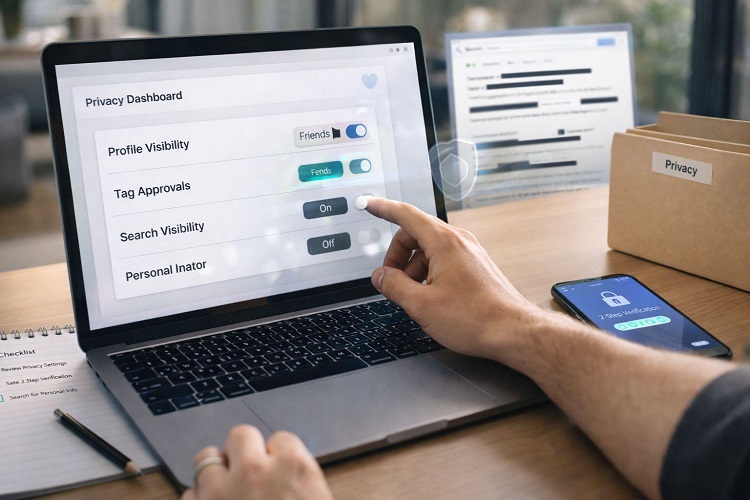
Google provides several tools that let you review information associated with your account.
Google My Activity
Visit myactivity.google.com.
This tool can show activity saved from Google services, including searches, YouTube activity, and other interactions, depending on your settings.
You can search by date or activity type, delete individual entries, remove selected periods, and manage available activity controls.
Google Account Dashboard
Visit myaccount.google.com/dashboard.
The dashboard provides an overview of information associated with different Google products. What appears depends on the services you use.
Google Account Privacy Checkup
Visit Google Privacy Checkup.
Use it to review important privacy settings and adjust the available controls for your account.
Google Maps Timeline
Visit Google Maps Timeline to review location history if the feature is available and enabled.
Google Ad Center
Visit My Ad Center to review advertising personalisation controls.
These tools do not necessarily show every piece of technical information Google may process. They provide ways to inspect and manage information available through the relevant account and service settings.
12. How to Stop Google From Saving So Much Information
If you want to reduce the amount of activity saved to your Google Account, start by reviewing the settings that control it.
Step 1: Turn off or adjust Web & App Activity
-
Visit Google Activity Controls.
-
Open Web & App Activity.
-
Review the current setting.
-
Turn it off if you do not want new activity saved under that control, or adjust any available options.
Google may offer options for including additional activity, such as certain Chrome history or voice and audio interactions.
Turning this setting off does not automatically erase information already saved. You must delete existing activity separately if you want it removed from your account.
Step 2: Review YouTube History
Open Activity Controls and review YouTube History.
Depending on the options available, you can pause history saving, delete previous activity, or configure automatic deletion.
Remember that changing history settings may affect recommendations and the ability to resume videos where you left off.
Step 3: Review location settings
Check Google Maps Timeline and the location permissions on your phone.
Disable location access for applications that do not need it, and review any location-history feature you do not want to use.
Turning off GPS alone does not prevent every possible form of location estimation, because IP addresses and other signals may provide approximate location information.
Step 4: Set up automatic deletion
Google offers automatic-deletion options for certain activity types. Depending on the service and settings, available retention periods may include three, eighteen, or thirty-six months.
Choose the option that fits your needs, and check which activity types it covers.
Automatic deletion does not necessarily apply to every type of data stored in every Google product.
Step 5: Review third-party access
Visit your Google Account security settings and inspect third-party applications and services that have access to your account.
Remove access for services you no longer use or do not trust. Be careful not to disconnect applications that you still need without understanding the consequences.
Step 6: Review Chrome synchronisation
If you use Chrome while signed in, review the synchronisation settings for browsing history and other browser data.
Deleting history from your browser and deleting activity saved in your Google Account are related but distinct actions. Check both places if you want to reduce retained browsing information.
Step 7: Strengthen your account security
Use a strong, unique password or a passkey where supported, enable two-step verification, and review your account’s recovery options.
Privacy and security are related, but they are not the same. Privacy settings control how information is collected or used; security measures help prevent unauthorised access to your account.
13. Is Incognito Mode Enough to Hide You From Google?
No. Incognito mode or private browsing is not a complete anonymity tool.
Private browsing generally limits what your browser saves locally after the private session ends. It does not automatically prevent websites, internet service providers, network administrators, or online services from receiving information during the session.
If you sign in to a Google service while using an Incognito window, the activity may still be associated with your account depending on the service and settings.
Likewise, Incognito mode does not make downloads invisible to your device or stop websites from recording activity necessary to operate their services.
Use private browsing when you want to reduce local browser history, but do not assume it prevents all online tracking.
14. Should You Stop Using Google Services?
Not necessarily.
Google services provide useful tools for search, communication, navigation, file storage, education, business, and entertainment. The goal of privacy management is not always to abandon these services, but to understand the trade-offs and make informed decisions.
You might choose to keep YouTube History enabled because you value recommendations, while disabling location history because you do not want a long-term record of your movements.
You might use Google Drive for work but carefully control file-sharing permissions. You might also limit which applications can access your Google Account.
The right balance depends on your personal needs and your comfort with data collection.
The most important step is to review your settings rather than leaving every option unchanged simply because it was enabled by default.
Frequently Asked Questions
Can Google see everything I search for?
Google may receive and process your searches when you use Google Search. Whether particular activity is saved to your account depends on your sign-in status, settings, and other technical factors.
Can Google track my location when GPS is off?
Google may be able to estimate your general location using information such as your IP address or network details, depending on the service. Turning off GPS does not eliminate every possible source of location information.
Can I delete everything Google knows about me?
You can delete many types of activity and files associated with your Google Account, but the available controls vary by service. Some information may be retained for limited periods or purposes, such as security, legal, or operational requirements. Deleting visible account activity should not be treated as a guarantee that every related record disappears immediately.
Does Google listen to my conversations?
Do not assume that every conversation near your phone is being recorded by Google. Audio processing depends on the service, permissions, settings, and whether a voice feature is being used. Review microphone permissions and voice or audio activity settings if you have concerns.
Does deleting my Google search history stop personalised ads?
Deleting search history may affect some personalisation, but it does not necessarily disable all advertising personalisation or remove information associated with other services. Review My Ad Center and the relevant activity controls separately.
Is Google safer if I do not have a Google Account?
Using Google services while signed out may reduce the amount of activity associated with a particular account, but it does not make your online activity completely invisible. Google and other websites may still process technical information needed to provide services.
Conclusion
Google may have access to a considerable amount of information about your digital activities, especially if you regularly use Search, YouTube, Maps, Chrome, Gmail, Android, and other connected services.
That information can include search activity, video history, device details, location information, files you upload, and interests inferred from your behaviour. The exact amount depends on your settings and how you use each service.
The good news is that you do not have to leave every setting unchanged. Google provides tools that let you inspect saved activity, adjust history controls, manage location settings, review advertising personalisation, and remove information where supported.
Start with Google My Activity, review your Google Account Privacy Checkup, and check location and YouTube History settings.
You may not be able to eliminate every form of online data collection, but understanding what is collected and controlling what you can is an important step towards protecting your digital privacy.