Installing an Android app can make your phone more useful, but not every app is safe. Some apps may collect excessive personal information, display aggressive advertisements, contain malicious code, or attempt to steal sensitive information such as passwords and banking details.
Fortunately, you do not need to be a cybersecurity expert to identify many warning signs before installing an app. By checking the developer, permissions, reviews, downloads, privacy information and where the app comes from, you can reduce the risk of installing a dangerous application.
Here are practical ways to tell if an Android app is safe before installing it.
1. Download Apps From Trusted Sources
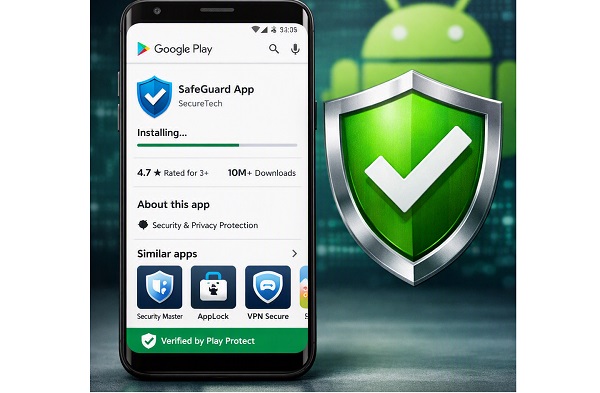
The first step is to check where the app comes from. For most Android users, the safest starting point is the Google Play Store because Google has security systems designed to detect and remove malicious applications.
Avoid downloading APK files from unfamiliar websites simply because they offer an app for free or provide a modified version. Unknown APK files can potentially contain malware or other unwanted software.
If you must install an app from outside Google Play, research the source carefully and make sure the file comes from the application’s legitimate developer.
2. Check the Developer’s Name
Look carefully at the developer information before tapping the Install button.
A legitimate application normally identifies its developer or company clearly. If you are downloading an app from a well-known company, check whether the developer name matches the company’s official information.
Be particularly careful with apps that imitate popular banking, social media, cryptocurrency, shopping or messaging applications.
A fake app may use a similar name or logo to trick users into believing that it is genuine.
3. Look at the Number of Downloads
The number of downloads can provide useful context.
An established application with millions of downloads and a long history may have more evidence available about its reputation than a newly created app with only a few hundred downloads.
However, downloads alone do not prove that an application is safe. Malicious apps can sometimes accumulate significant numbers of installations before they are detected.
Use downloads together with other checks rather than treating them as a guarantee.
4. Read Recent Reviews
Reviews can reveal problems that may not be obvious from the app description.
Look at recent reviews and watch for repeated complaints about suspicious advertisements, unexpected charges, excessive permissions, crashes or unusual behaviour.
Do not rely only on the overall star rating. An application can have a high rating while recent users are reporting new problems.
Also be cautious if many reviews appear unusually short, repetitive or unrelated to the app’s actual features.
5. Check the App’s Permissions
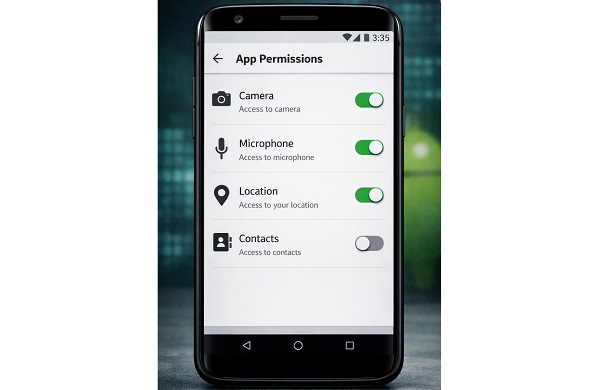
Permissions are one of the most important things to examine before installing an Android application.
For example, a simple calculator app may not reasonably need access to your contacts, microphone, SMS messages or precise location.
Ask yourself whether each requested permission makes sense for what the app is supposed to do.
An application that requests access to sensitive information without an obvious reason deserves additional scrutiny.
You can also review and change many app permissions after installation through your Android phone’s settings.
📖 Related Reads
6. Read the Data Safety Information
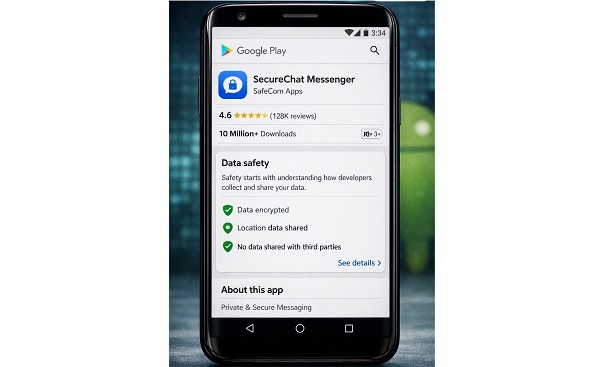
Google Play provides a Data safety section for many applications. It can help you understand what types of information an app may collect, share or use.
Check whether the app collects information such as your location, contacts, personal information or device identifiers.
Remember that the information in this section is supplied by the app developer, so it should be considered alongside the developer’s privacy policy and the permissions requested by the application.
If an app’s data practices seem excessive for its purpose, consider looking for an alternative.
7. Check When the App Was Updated
Look at the application’s update history.
An app that is regularly maintained may be better positioned to receive security fixes and compatibility updates. On the other hand, an application that has not been updated for a very long time may have unresolved security or compatibility problems.
This does not automatically mean an older app is dangerous, but it is another factor worth considering before installation.
8. Search for the App Online
Before installing an unfamiliar app, search its name online.
Look for the official website and independent reports about the application. Search terms such as the app name followed by “scam,” “malware,” “security,” or “reviews” can help reveal reported problems.
For financial, cryptocurrency, government or other sensitive applications, verify the app through the organisation’s official website before downloading it.
9. Watch Out for Fake Copies
Cybercriminals sometimes create applications that imitate popular apps.
A fake application may use a familiar logo, similar name and copied screenshots. Before installing, compare the app with information published on the legitimate company’s website.
Pay attention to spelling mistakes, unusual developer names and suspicious descriptions.
Never assume an app is genuine simply because its icon looks familiar.
10. Keep Google Play Protect Enabled
Android includes Google Play Protect, which checks applications for potentially harmful behaviour.
Make sure it remains enabled on your device. Play Protect can help identify potentially harmful applications and warn users about security threats.
It is not a replacement for careful checking, but it provides an additional layer of protection.
Final Thoughts
Checking an Android app before installing it only takes a few minutes, but it can help protect your phone, personal information and online accounts.
Start by downloading apps from trusted sources, checking the developer, reading recent reviews and examining permissions. Also look at the app’s Data safety information, update history and reputation online.
Most importantly, do not install an application simply because it promises a free service, unusually large discount or access to premium features. If something about an app seems suspicious, take time to verify it before giving it access to your device.
A few simple checks before pressing Install can prevent many unnecessary security problems later.