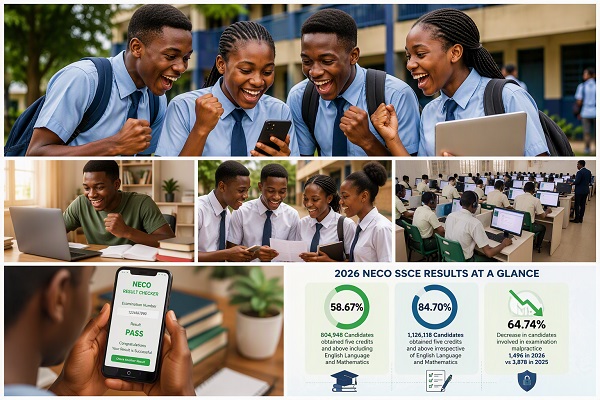
The National Examinations Council (NECO) has officially released the results of the 2026 Senior School Certificate Examination (SSCE), revealing a significant decline in examination malpractice cases and strong performance among candidates.
According to Prof. Dantani Wushishi, the Registrar of NECO, a total of 1,378,048 candidates registered for the examination, while 1,371,992 candidates sat for it across the country.
2026 NECO SSCE Performance Statistics
The examination body disclosed that:
- 804,948 candidates obtained five credits and above, including English Language and Mathematics, representing 58.67% of those who sat for the examination.
- 1,126,118 candidates earned five credits and above regardless of English Language and Mathematics, accounting for 84.70% of candidates.
Examination Malpractice Declines Significantly
NECO also reported a notable reduction in examination malpractice cases. A total of 1,496 candidates were involved in malpractice during the 2026 SSCE, compared to 3,878 cases recorded in 2025, representing a 64.74% decrease.
Speaking during a press briefing, Prof. Dantani Wushishi attributed the drop in malpractice incidents to the growing adoption of computer-based examinations.
The registrar also dismissed claims linking NECO to so-called “miracle centres,” stating that the examination body only registers centres that meet its established requirements.
How to Check Your 2026 NECO SSCE Result Online

Candidates can check their results by following these simple steps. Here is a step-by-step guide on how to check your results on the official NECO portal:
-
Navigate to the Portal: Go to the official NECO Result Checker portal at results.neco.gov.ng.
-
Examination Type: In the dropdown menu labeled “Select Examination Type,” choose “SSCE Internal”.
📖 Related Reads
-
Examination Year: Select “2026” as the examination year.
-
Token/PIN: Enter the unique Result Checker Token or PIN (found on your result-checking card). Keep this token safe as it is used for checking and printing your result.
-
Examination Number: Carefully input your complete NECO Examination Number (which consists of numbers and letters, e.g., 12345678AB).
-
Final Step: Click the blue button that says “Check Result.” Your result should display on the screen.
Good luck to all candidates as you access your scores! We hope you achieve your desired results.
Final Thoughts
The release of the 2026 SSCE results marks an important milestone for candidates nationwide. The substantial decrease in examination malpractice cases is a positive development for Nigeria’s education sector and reflects ongoing efforts to improve the credibility and integrity of public examinations.