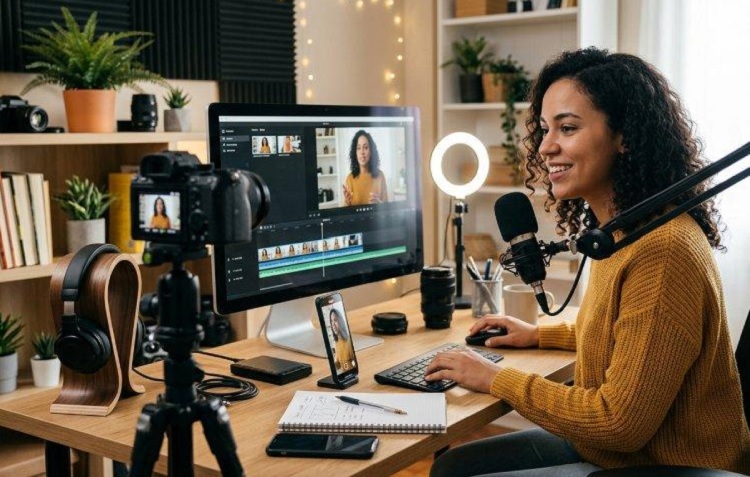
Video content has become an important part of digital communication, entertainment, education and online business. From YouTube videos and TikTok clips to Instagram Reels, product advertisements and educational tutorials, millions of people now use videos to share information and reach wider audiences.
However, creating professional-looking videos does not necessarily require expensive editing software or a powerful computer. Several free video editing applications provide useful tools for trimming clips, adding music, inserting text, applying transitions, adjusting colours and exporting high-quality videos.
Whether you are a beginner learning video editing, a YouTuber producing regular content, a business owner creating promotional videos or a social media creator, choosing the right editing application can make your work easier.

In this guide, TechFalz highlights some of the best free video editing apps in 2026 for Android, iPhone, Windows and Mac users. We also explain their major features, advantages and limitations to help you choose the right application.
1. CapCut
Best for: TikTok videos, Instagram Reels, YouTube Shorts and social media content.
CapCut is one of the most popular video editing applications among social media content creators. Developed by ByteDance, the application provides editing tools that make it relatively easy to create engaging videos without advanced editing knowledge.
CapCut is particularly useful for people who create short-form videos for TikTok, Instagram, Facebook and YouTube.
Its interface includes a timeline editor, text tools, transitions, filters, effects, audio controls and automatic captioning features.
Key Features of CapCut
- Video trimming, cutting and splitting.
- Text overlays and animated captions.
- Transitions and video effects.
- Background removal tools.
- Speed adjustment and slow-motion effects.
- Audio editing and sound effects.
- Templates for social media videos.
- Multiple video layers and overlays.
- Export options for different video formats.
CapCut is available on Android, iOS, Windows, Mac and through its web editor.
Advantages
- Beginner-friendly editing interface.
- Useful templates for social media content.
- Several editing features are available without payment.
- Suitable for short-form videos.
- Supports mobile and desktop workflows.
Limitations
Some templates, effects, AI tools and other premium resources require a CapCut Pro subscription. Free export options may also depend on the features and assets used in a project.
Official website: https://www.capcut.com/
2. VN Video Editor
Best for: Mobile video editing without an imposed watermark on standard free exports.
VN Video Editor is another popular application for Android and iPhone users who want more control over their video editing projects.
The application offers a multi-track timeline that allows users to combine video clips, photographs, music, text and other elements.
It is suitable for creators who want to produce YouTube videos, short social media content, travel videos, tutorials and personal projects.
Key Features of VN Video Editor
- Multi-track video editing.
- Keyframe animation.
- Speed curves and slow-motion effects.
- Video transitions.
- Text and subtitle editing.
- Music and sound effects.
- Colour filters and adjustments.
- Picture-in-picture editing.
- High-resolution export options.
Advantages
- Easy to learn for beginners.
- Offers detailed timeline controls.
- Useful for editing videos directly on smartphones.
- Standard free exports do not require a watermark.
- Supports advanced editing features such as keyframes.
Limitations
Some features and resources may require in-app purchases. Availability of certain functions and export options can vary by device and app version.
Official website: https://www.vlognow.me/
3. DaVinci Resolve
Best for: Professional video editing, YouTube production and advanced colour grading.
DaVinci Resolve is one of the most powerful free video editing applications available for desktop users.
Developed by Blackmagic Design, the software combines video editing, colour correction, visual effects, motion graphics and audio post-production in one application.
Unlike many mobile editing tools, DaVinci Resolve is designed to handle more complex video production projects.
It is particularly useful for filmmakers, professional editors, YouTubers and content creators who want greater control over their videos.
Key Features of DaVinci Resolve
- Professional video editing timeline.
- Advanced colour correction and grading.
- Visual effects and motion graphics.
- Audio editing and mixing.
- Multi-camera editing.
- Subtitle and caption tools.
- High-resolution video export.
- Support for multiple video and audio formats.
Advantages
- Powerful professional editing features.
- Free version available without an export watermark.
- Suitable for complex video projects.
- Excellent colour grading capabilities.
- Available for Windows, macOS and Linux.
Limitations
DaVinci Resolve has a relatively steep learning curve, especially for beginners.
It also requires more processing power and memory than most basic video editing applications. Some advanced AI features, effects and tools are reserved for the paid Studio version.
Official website: https://www.blackmagicdesign.com/products/davinciresolve
4. Microsoft Clipchamp
Best for: Beginners, Windows users and quick online video editing.
Microsoft Clipchamp is a video editing application designed for people who want to create videos without learning complicated editing software.
It provides a relatively straightforward interface that allows users to combine clips, add text, insert background music and create social media videos.
Clipchamp is particularly convenient for Windows users because it is integrated into Microsoft’s ecosystem and can also be accessed through a web browser.
Key Features of Clipchamp
- Drag-and-drop video editing.
- Video trimming and cropping.
- Text and title overlays.
- Transitions and filters.
- Screen and webcam recording.
- Audio and music tools.
- Video templates.
- Basic stock media resources.
- Social media video formats.
Advantages
- Easy-to-use interface.
- Suitable for beginners.
- Works through a web browser.
- Available as a Windows application.
- Free plan supports watermark-free exports up to 1080p.
Limitations
Some premium stock media, effects and features require a paid subscription or an eligible Microsoft 365 plan. Free exports are limited to 1080p.
Official website: https://clipchamp.com/
5. iMovie
Best for: iPhone, iPad and Mac users.
iMovie is Apple’s free video editing application designed for people who want to create videos using Apple devices.
It is particularly useful for beginners who want to edit videos recorded with an iPhone or iPad.
The application offers a straightforward editing experience with tools for combining clips, adding titles, inserting music and applying transitions.
Key Features of iMovie
- Video trimming and splitting.
- Ready-made themes and trailers.
- Titles and text overlays.
- Background music and sound effects.
- Video transitions.
- Picture-in-picture effects.
- Green-screen effects.
- High-resolution video export.
Advantages
- Free for supported Apple devices.
- Beginner-friendly interface.
- No watermark on standard exports.
- Works well within the Apple ecosystem.
- Suitable for basic YouTube videos and personal projects.
Limitations
iMovie is designed for Apple devices and is not available as a native Windows or Android application.
It also has fewer advanced editing capabilities than professional software such as DaVinci Resolve.
Official website: https://www.apple.com/imovie/
6. Shotcut
Best for: Free desktop video editing without a subscription.
Shotcut is an open-source video editing application available for Windows, macOS and Linux.
Unlike applications that restrict important features behind subscriptions, Shotcut provides a wide range of editing tools without requiring users to purchase a premium plan.
It is suitable for people who want to edit videos on a computer without paying for commercial software.
Key Features of Shotcut
- Multi-track video editing.
- Audio editing.
- Video filters and effects.
- Colour correction.
- Video transitions.
- Subtitle support.
- Wide format compatibility.
- 4K and higher-resolution workflow support.
Advantages
- Completely free and open-source.
- No subscription required.
- No watermark on standard exports.
- Supports Windows, Mac and Linux.
- Useful for different types of video projects.
Limitations
Its interface may look less modern than some commercial editing applications.
Beginners may also need time to understand its timeline and advanced editing controls.
Official website: https://shotcut.org/
7. Kdenlive
Best for: Multi-track editing and open-source video production.
Kdenlive is another free and open-source video editing application that provides useful tools for creating professional-looking videos.
It is suitable for users who need more control over video and audio tracks without paying for expensive editing software.
Kdenlive supports multiple video and audio tracks, transitions, effects, colour correction and other editing functions.
Key Features of Kdenlive
- Multi-track video editing.
- Audio and video effects.
- Transitions and compositing.
- Colour correction.
- Subtitle editing.
- Proxy editing for demanding projects.
- Customisable editing workspace.
- Support for different media formats.
Advantages
- Free and open-source.
- No subscription required.
- No imposed export watermark.
- Supports Windows, macOS and Linux.
- Suitable for more detailed editing projects.
Limitations
The interface can be challenging for first-time users, and performance depends on the computer’s hardware and the complexity of the project.
📖 Related Reads
Official website: https://kdenlive.org/
8. OpenShot
Best for: Beginners who need a simple desktop video editor.
OpenShot is a free, open-source video editing application designed to make basic video production easier.
It is a suitable starting point for people who are new to editing and want to combine video clips, add music, insert titles and apply simple transitions.
Key Features of OpenShot
- Drag-and-drop editing.
- Unlimited video and audio tracks.
- Video trimming and resizing.
- Animated titles.
- Transitions and effects.
- Slow-motion and time effects.
- Keyframe animation.
- Audio editing.
Advantages
- Free to download and use.
- No subscription required.
- No export watermark.
- Beginner-friendly editing workflow.
- Available for Windows, Mac and Linux.
Limitations
OpenShot has fewer advanced professional editing tools than DaVinci Resolve. Complex projects may also require a more capable computer.
Official website: https://www.openshot.org/
Comparison of the Best Free Video Editing Apps
The following table summarises the major differences between the applications discussed.
| Video Editing App | Supported Platforms | Best For |
|---|---|---|
| CapCut | Android, iOS, Windows, Mac, Web | Social media videos |
| VN Video Editor | Android, iOS | Mobile editing |
| DaVinci Resolve | Windows, Mac, Linux | Professional editing |
| Clipchamp | Windows, Web | Quick video editing |
| iMovie | iPhone, iPad, Mac | Apple users |
| Shotcut | Windows, Mac, Linux | Open-source editing |
| Kdenlive | Windows, Mac, Linux | Multi-track editing |
| OpenShot | Windows, Mac, Linux | Beginners |
The applications have different free-plan restrictions. In particular, check the export resolution, premium asset restrictions and watermark policy before committing to a project.
Which Free Video Editing App Should You Choose?
The best application depends on your device, editing experience and the type of videos you want to create.
Here are our recommendations:
For TikTok and Instagram Reels: CapCut is a good starting point because of its templates, captions and social media editing tools.
For Android and iPhone users: VN Video Editor is worth considering if you want a multi-track editing experience and more manual control.
For professional YouTube videos: DaVinci Resolve is an excellent choice if your computer meets its hardware requirements.
For Windows beginners: Microsoft Clipchamp provides a simple way to create and export videos.
For iPhone and Mac users: iMovie is a convenient free option for everyday editing.
For completely free desktop editing: Shotcut and Kdenlive are excellent open-source alternatives.
For simple editing projects: OpenShot is worth considering if you are just starting.
Tips for Creating Better Videos With Free Editing Apps
Downloading a video editor is only the first step. The quality of your final video also depends on how you record, organise and edit your footage.
Consider the following tips:
1. Plan Your Video Before Recording
Write a short outline or script before recording. This helps you organise your ideas and reduces unnecessary footage.
2. Use Good Lighting
Proper lighting makes videos look clearer and more professional. Natural light from a window can be sufficient for basic recordings.
3. Prioritise Audio Quality
Poor sound can make an otherwise good video difficult to watch. Use a suitable microphone where possible and reduce background noise.
4. Remove Unnecessary Sections
Trim long pauses, repeated statements and irrelevant footage to keep viewers interested.
5. Use Transitions Carefully
Transitions can improve the flow of a video, but excessive effects may distract viewers.
6. Add Captions Where Necessary
Captions can make your content easier to understand, particularly when people watch videos without sound.
7. Choose the Correct Export Settings
Use an appropriate resolution and frame rate for your intended platform. For most online content, 1080p is a practical starting point.
8. Keep Your Original Footage
Save your original video files and project backups in case you need to make changes later.
Frequently Asked Questions About Free Video Editing Apps
Which is the best free video editing app for Android?
CapCut and VN Video Editor are two useful choices for Android users. The better option depends on whether you prefer ready-made templates and automatic tools or more manual timeline editing.
Which free video editor does not add a watermark?
DaVinci Resolve, VN, Shotcut, Kdenlive, OpenShot and iMovie offer standard free exports without an imposed watermark. Clipchamp also provides watermark-free exports when you use eligible free resources. CapCut can export without a watermark when you use eligible free assets and settings.
Always check the export conditions of your installed version.
What is the best free video editing software for YouTube?
DaVinci Resolve is an excellent option for YouTube creators who need advanced editing, audio and colour correction tools. Beginners may prefer Clipchamp or CapCut for simpler projects.
Can I edit professional videos using free applications?
Yes. Applications such as DaVinci Resolve, Shotcut and Kdenlive provide advanced editing tools that can be used for professional video projects.
However, the final quality also depends on your recording equipment, editing skills and computer hardware.
Do I need an expensive computer for video editing?
No. Basic editing can be performed using many smartphones and ordinary computers.
However, complex projects, high-resolution footage and advanced effects may require more powerful hardware. If you have a low-specification computer, consider starting with a simpler application.
Final Thoughts
Creating quality videos no longer requires spending a large amount of money on editing software. Several free applications now provide enough tools for beginners, social media creators, YouTubers, students and businesses to produce engaging video content.
CapCut and VN Video Editor are useful choices for smartphone users, while DaVinci Resolve offers a more advanced editing environment for desktop users. Clipchamp, iMovie, Shotcut, Kdenlive and OpenShot also provide practical alternatives depending on your needs.
Before choosing an application, consider your device, available storage, editing experience, export requirements and whether the free version adds a watermark.
Start with one application, learn its essential features and gradually improve your editing skills.
You do not need expensive software to start creating quality videos. You need the right tools, practice and good creative ideas.